The admin-side WordPress Manager gives the server administrator a single, server-wide view of every WordPress install on every account, with bulk updates, security policies and reusable plugin/theme sets. It complements the per-account WordPress Manager that each user sees in their own panel.
Where to find it
In the admin panel, open Script Installers → WordPress Manager. The page builds a server-wide list of WordPress sites by scanning every account for wp-config.php and enriching it with each account’s own records, so it finds unmanaged sites too.
Fleet overview
For every site across the server you see, in one table: the owning account, the domain/path, WordPress core version, whether updates are pending, SSL status, and known vulnerabilities (from a vulnerability feed). Resellers only see their own accounts. From here you drill into a site or run bulk actions.
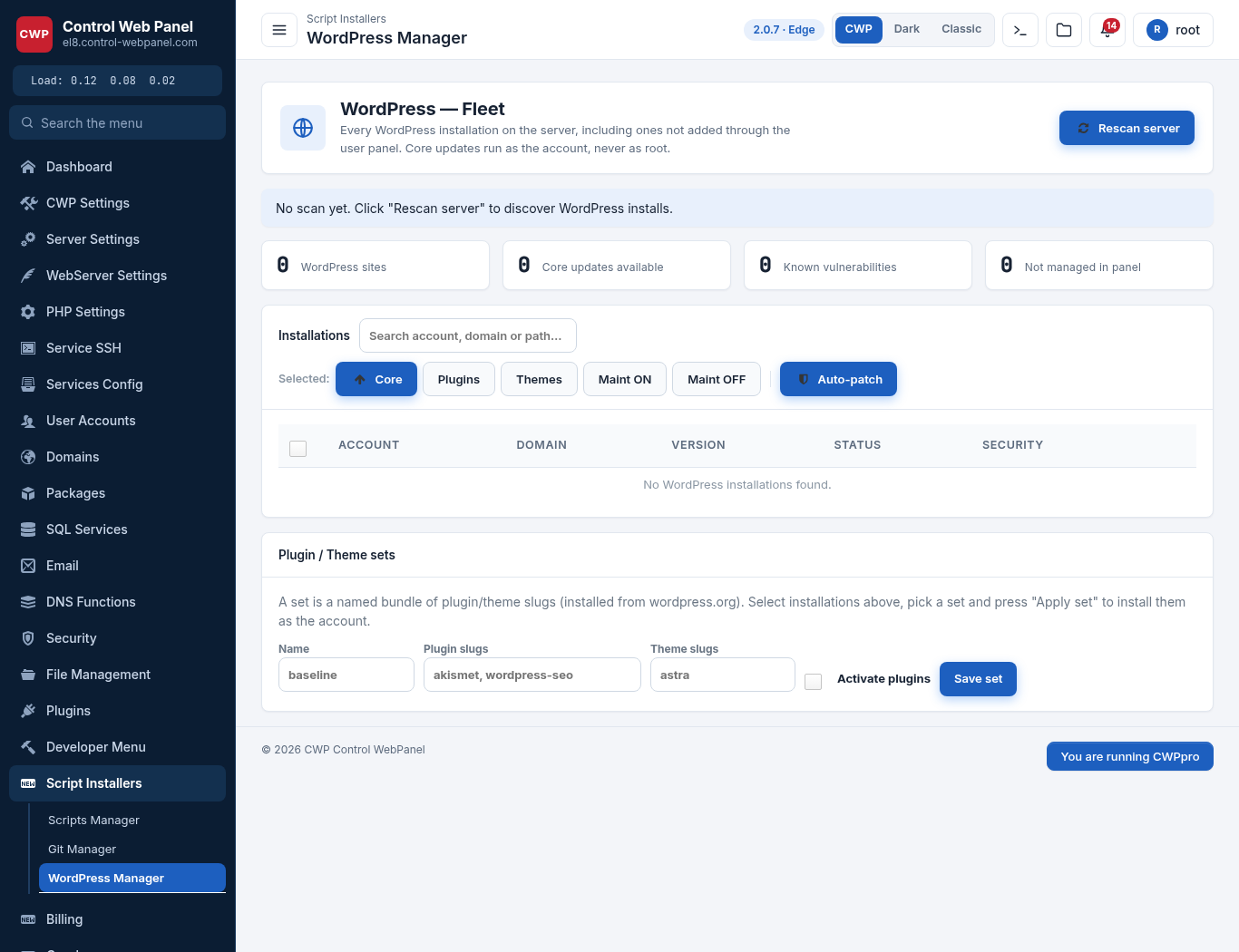
Bulk updates (whole server)
Update WordPress core, plugins and themes across many sites at once — all accounts, or a selection. Each site is updated independently (as the account owner, never as root), so one failing site doesn’t stop the rest, and each update runs under a time limit. This is the fast way to keep the whole server patched.
Security policies
Apply WordPress hardening (block XML-RPC abuse, disable the file editor, protect wp-config.php, refresh keys, user-enumeration protection) across sites, and enable edge virtual patching so the web server blocks known WordPress attacks before a plugin is even updated. You decide whether to enforce or leave choices to the account owner.
Plugin & Theme Sets
Define a server-wide set of plugins and themes (for example your standard security + SEO + builder stack). Users can then install the whole set on a new site with one click — a quick way to standardise new WordPress sites across the server.
Who can use it — Feature manager
WordPress Manager is a per-package feature. In the admin Feature manager, tick WordPress Manager for the hosting packages that should have it; accounts on those packages then see it in their user panel. Packages without it simply don’t show the module.
Smart Update, Clone, Backup, AutoSSL — all free
The advanced features your users get — Smart Update (test clone with health + visual check before applying), cloning/staging, local and offsite backups, one-click AutoSSL, cache management, vulnerability patching, Git deployment — are all included at no extra cost. There is no paid “deluxe” tier.
Related
- WordPress Manager (user guide)
- LSAPI PHP (lsphp / cwpsapi)
- WordPress & LSAPI-Cache
- CWP Cage