An email forwarder (alias) passes messages sent to one address on to one or more other addresses. For example sales@example.com can forward to the personal mailboxes of two colleagues, or info@example.com can forward to your Gmail address. A forwarder does not need its own mailbox.
Where to find it: Email Accounts → Email Forwarders.
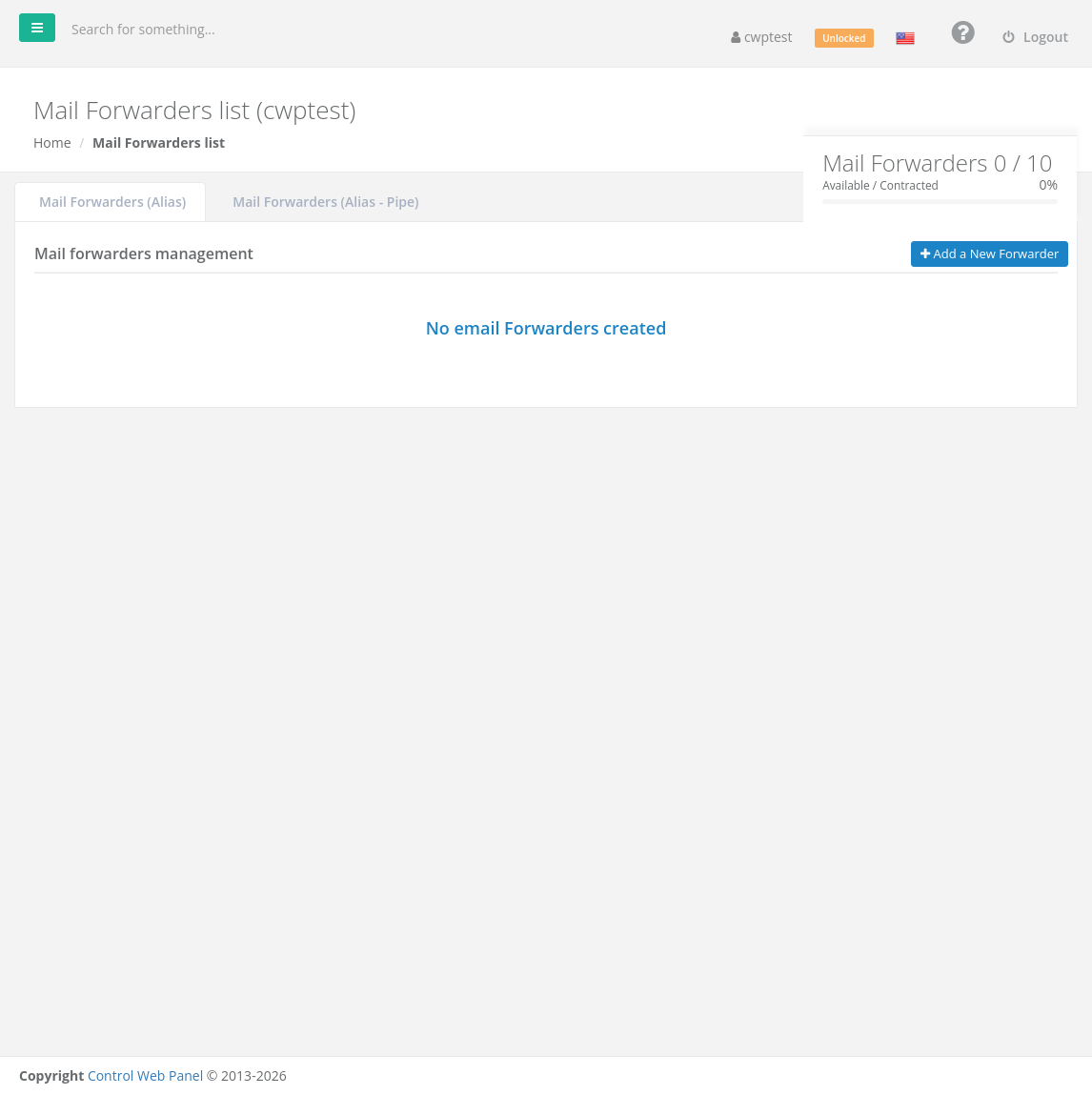
The box at the top shows how many forwarders you have compared with your package limit.
Create a forwarder
- On the Mail Forwarders (Alias) tab, click Add a New Forwarder.
- Email Address: the address to forward from (the part before @), for example
sales. - Domain: choose the domain.
- Redirects to: one or more destination addresses, separated by commas, for example
anna@example.com, mark@example.com. - Click Add.
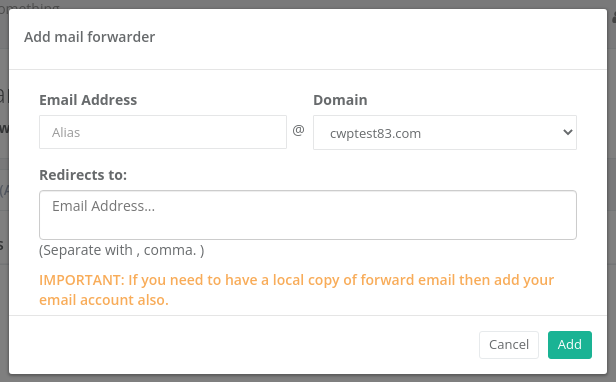
Note: If an address is both a mailbox and a forwarder, the forwarder takes over and mail is not kept in the mailbox. To keep a copy, add the mailbox’s own address to Redirects to as well.
Catch-all address
To receive mail sent to any address of a domain that does not exist (for example typos like inof@example.com), create a forwarder with * as the email address. Catch-all forwarders are highlighted in blue in the list.
Warning: Catch-all addresses attract a lot of spam. Use them only if you really need them.
Manage forwarders
Each forwarder in the list has buttons to Edit the destinations, activate / suspend it (green thumbs up = active), and Delete it.
Forward to a script (Alias – Pipe)
The Mail Forwarders (Alias – Pipe) tab is for developers: incoming messages are passed to a PHP script, for example a support-ticket system.
- Click Add New.
- Enter the Forwarder name and choose the Domain.
- Choose the PHP Version that runs the script.
- Under File, select the PHP script in your account.
- Click Save.
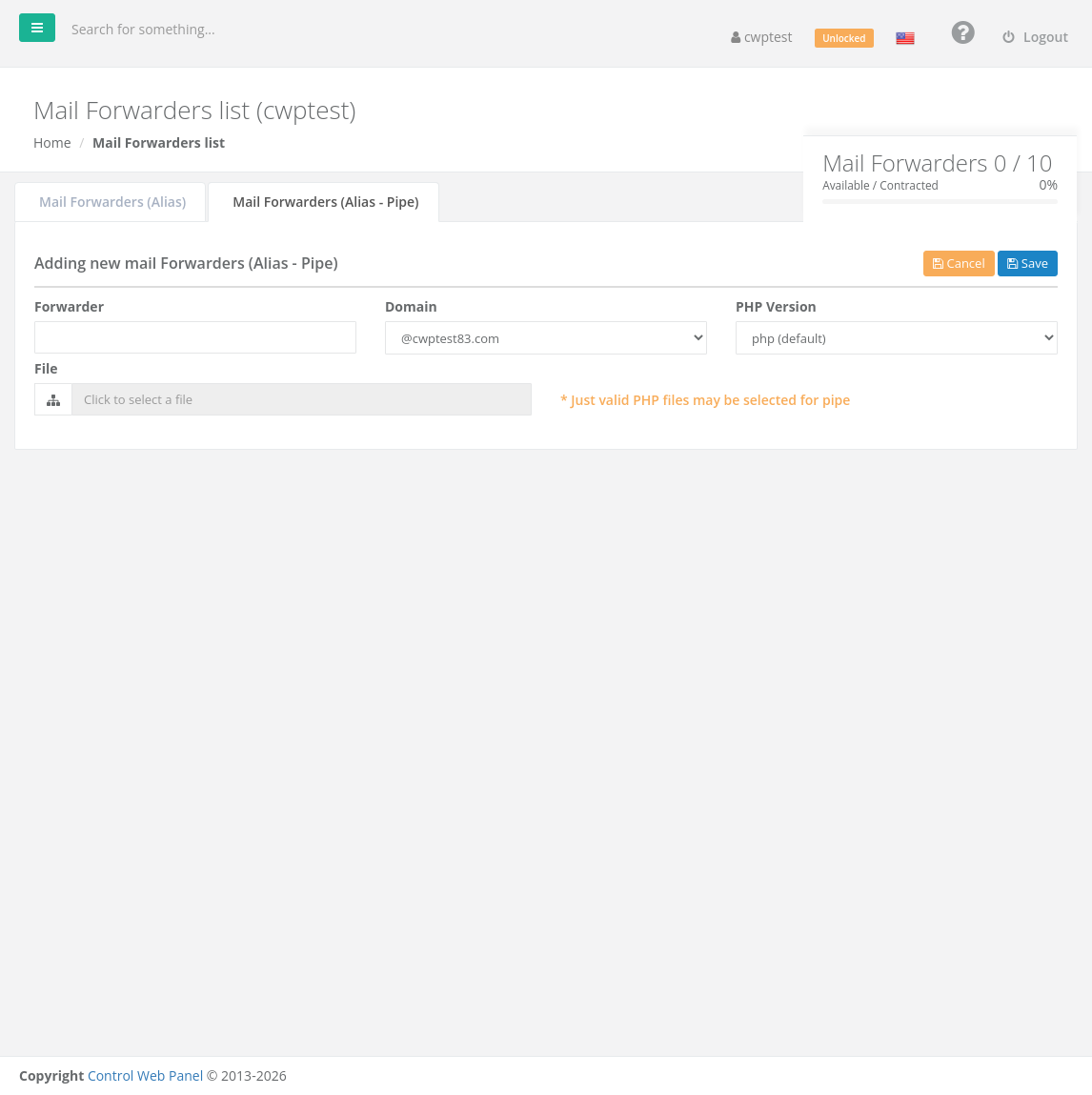
The script receives the full message on standard input (php://stdin).
Common problems
| Message or problem | Solution |
|---|---|
| Alias email already exists / An alias with this name already exists | Edit the existing forwarder instead. |
| You must enter at least one email address | Fill in Redirects to. |
| Forwarded mail to Gmail/Outlook arrives late or in spam | Big providers are strict with forwarded spam. Prefer setting up the external app to collect mail by IMAP/POP3, or make sure SPF and DKIM are set for your domain. |
| Mail no longer reaches the mailbox | A forwarder with the same address exists. Add the mailbox address to its destinations or delete the forwarder. |
Related
- Email Accounts
- Email Importer — create many forwarders from a CSV file
- Email Routing