phpMyAdmin is a web tool for working inside your MySQL databases: browse and edit tables, run SQL queries, and import or export data.
Where to find it: Databases → phpMyAdmin. It opens already logged in with your account — no separate password is needed.
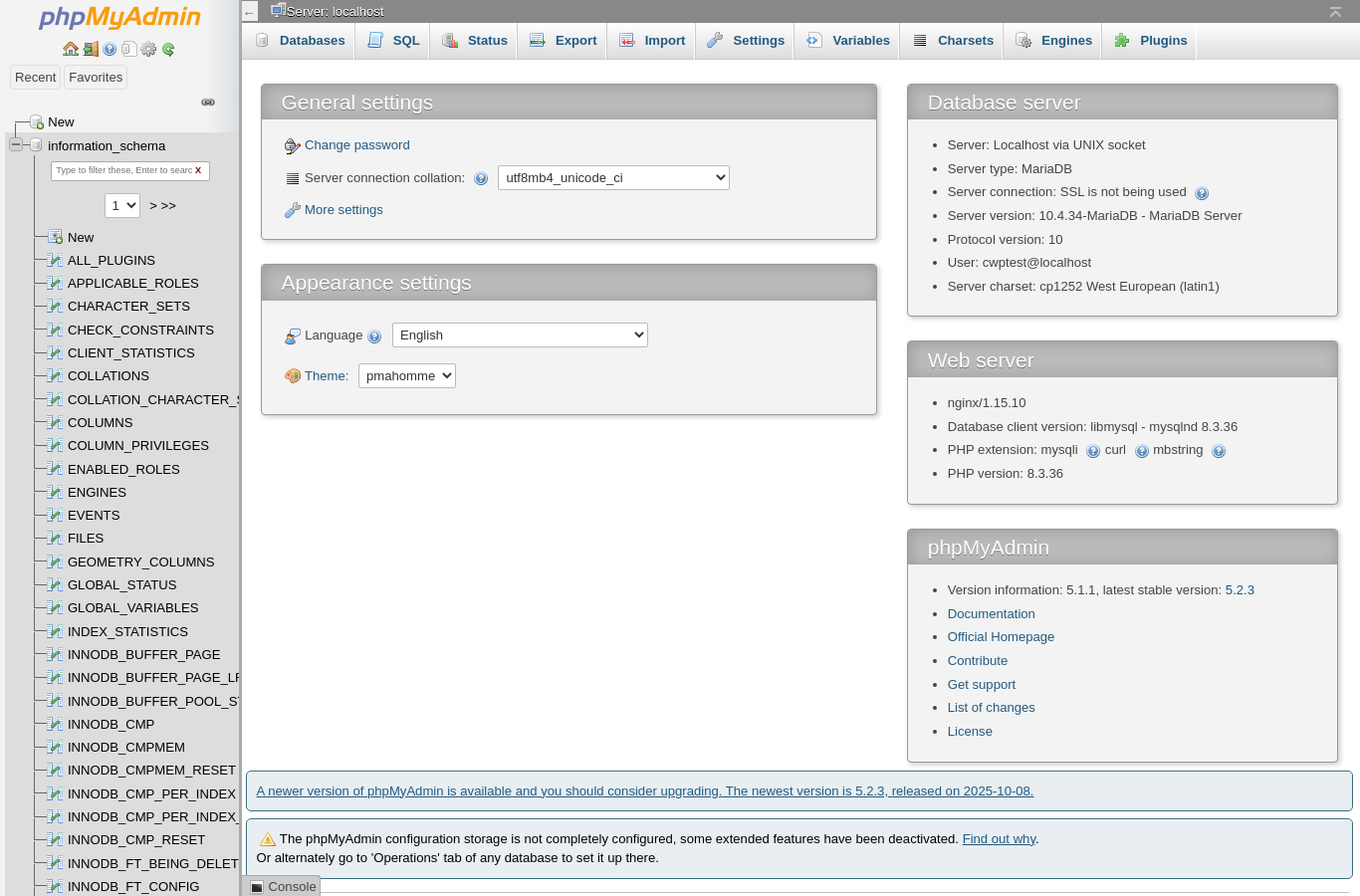
Your databases are listed on the left. Click one to see its tables, and a table to see its rows.
Common tasks
Export (back up) a database
- Click the database on the left.
- Open the Export tab.
- Leave Quick and format SQL, and click Export (or Go).
A .sql file is downloaded. You can also download a database backup in Backup.
Import a database
- Create an empty database in MySQL Manager if you do not have one.
- Click the database on the left and open the Import tab.
- Choose your
.sqlfile (it may also be compressed as.sql.gzor.zip) and click Import (or Go).
Note: The maximum import size is shown on the Import page. For bigger files, ask your provider to import it, or split the file.
Run an SQL query
Select the database, open the SQL tab, type the query and click Go. Be careful with UPDATE, DELETE and DROP — there is no undo.
Change a value in a table
Click the table, find the row and click Edit. For example, to reset a WordPress admin password, edit the user in wp_users, set user_pass to a new value and choose the MD5 function, then save.
Good to know
- phpMyAdmin logs in with your main MySQL user, which has access to all your databases. If you change your panel password, that user’s password changes too.
- Messages at the bottom of the page about a newer phpMyAdmin version or the configuration storage are informational and do not affect your work.
Common problems
| Problem | Solution |
|---|---|
| Import has been successfully finished is not shown / the import stops | The file is too big or takes too long. Compress it or ask your provider for help. |
| #1044 – Access denied for user … to database | The SQL file tries to create a database with another name. Remove the CREATE DATABASE and USE lines from the file, or import into a database with the right name. |
| #1067 Invalid default value / #1273 Unknown collation | The file was exported from a different MySQL version. Re-export with compatibility options or replace the collation (for example utf8mb4_0900_ai_ci → utf8mb4_unicode_ci). |
| phpMyAdmin does not open | Log out of the panel and back in, then try again. If it still fails, contact your provider. |