Statistics shows visitor reports for your websites, made with the GoAccess log analyzer: number of visitors and page views, most visited pages, where visitors come from, browsers and operating systems, HTTP status codes, bandwidth and more.
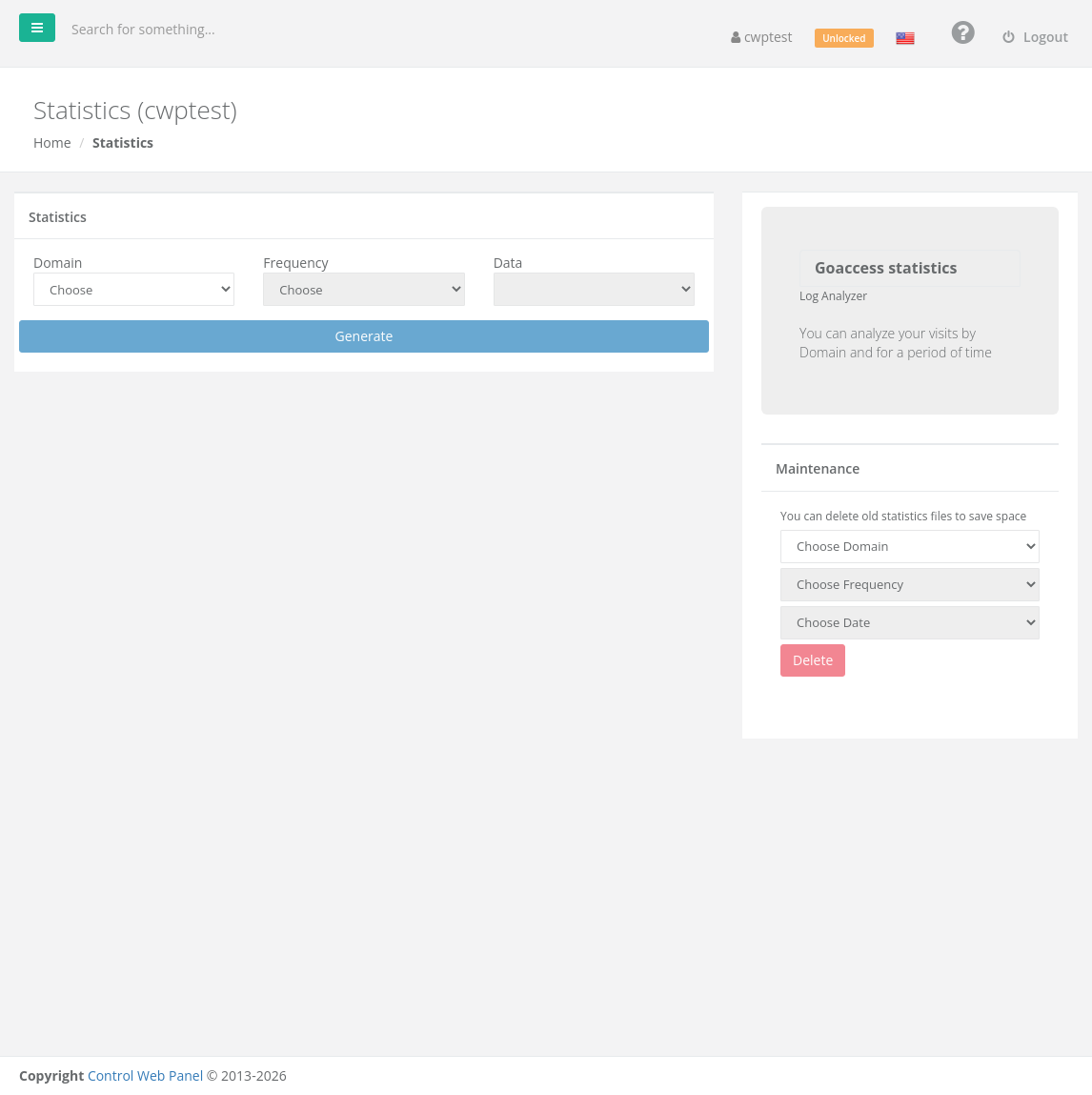
Where to find it: CWP Settings → Statistics.
Note: This module needs a CWP Pro license on the server. If you see You need a CWPPRO license to use this module, contact your hosting provider.
View a report
- Domain: choose the website.
- Frequency: Daily, Weekly or Monthly.
- Data: choose the day, week or month.
- Click Generate.
The report opens with charts and tables. The most useful parts:
| Section | Shows |
|---|---|
| Unique visitors | Visitors per day (counted by IP, date and browser) |
| Requested files | The most visited pages |
| Static requests | Images, CSS and JavaScript files |
| Not found URLs (404) | Broken links — fix or redirect them |
| Visitor hostnames and IPs | Who visits most (useful to spot bots) |
| Operating systems / Browsers | What visitors use |
| Referring sites | Which websites send you visitors |
| HTTP status codes | How many requests succeeded (2xx), were redirected (3xx) or failed (4xx/5xx) |
If you see No information was controlled to show, there are no statistics for that period yet — new sites need some traffic first.
Delete old statistics
Statistics files use disk space. Under Maintenance, choose the Domain, Frequency and Date (or All) and click Delete.
Related
- Log Viewer — the raw access and error logs
- Dashboard — bandwidth graph