The DNS Zone Editor lets you view and change the DNS records of your domains: where the website points (A records), where email is delivered (MX), verification and email-security records (TXT, SPF, DKIM, DMARC) and more.
Where to find it: DNS Functions → DNS Zone Editor.
Note: These records are only used if your domain’s nameservers point to this server (the nameservers are shown on the Dashboard). If your domain uses other nameservers — for example your registrar’s or Cloudflare’s — make DNS changes there instead.
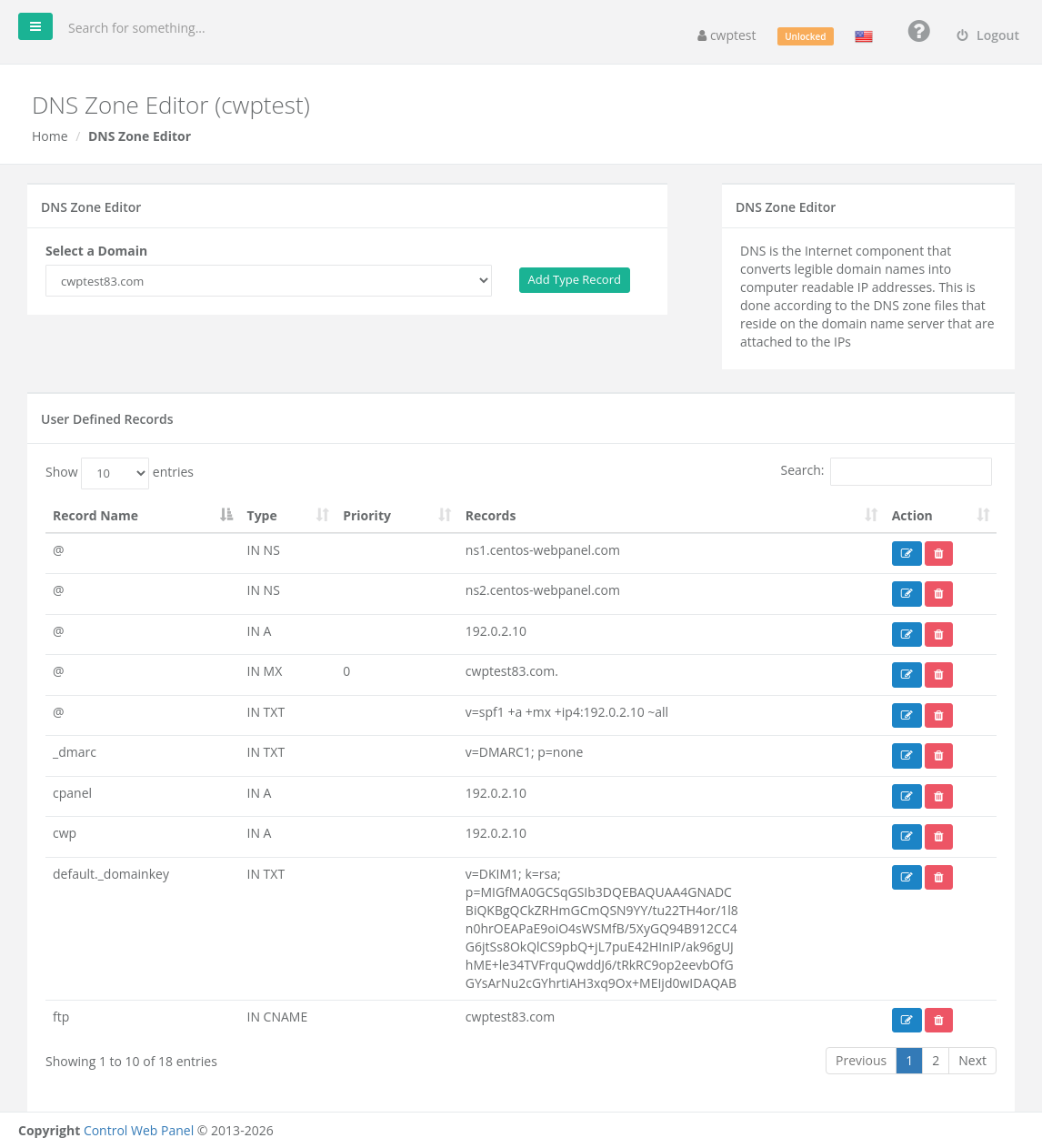
The record list
Choose the domain in Select a Domain. User Defined Records lists every record with its Record Name, Type, Priority (MX/SRV only) and value. Use the blue button to edit a record and the red button to delete it.
Record names
| You type | Means |
|---|---|
@ | The domain itself, for example example.com |
www | www.example.com — names without a trailing dot are relative to the domain |
shop.example.com. | A full name — note the trailing dot |
Add a record
- Select the domain.
- Click Add Type Record and choose the record type.
- Fill in the fields and click Save record.
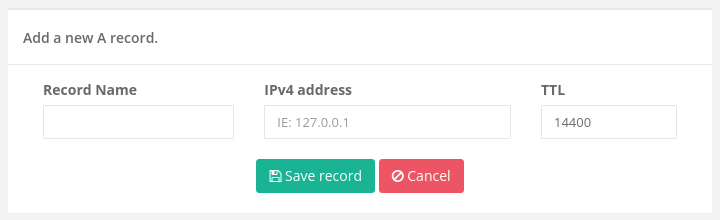
Before saving, the panel checks the whole zone (Validating the DNS Zone…). If the zone has an error, nothing is changed and you see Your DNS zone is experiencing errors. TTL / Cache is how long (in seconds) other servers may cache the record; the default 14400 (4 hours) is fine for most records. Use a lower TTL such as 300 a day before you plan to move a site, so the change spreads faster.
Record types
| Type | Use | Example |
|---|---|---|
| A | Points a name to an IPv4 address | www → 203.0.113.10 |
| AAAA | Points a name to an IPv6 address | @ → 2001:db8::10 |
| CNAME | Makes a name an alias of another name | shop → shops.myshopify.com. |
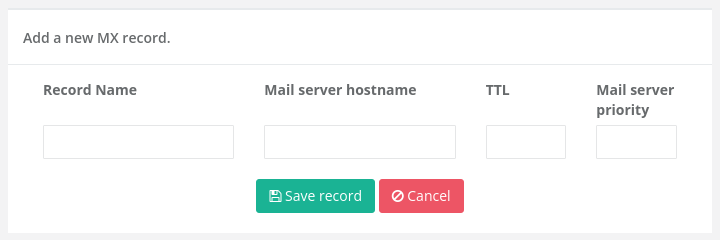
| MX | Mail server for the domain, with a priority (lower = preferred) | @ → mail.example.com. priority 10 |
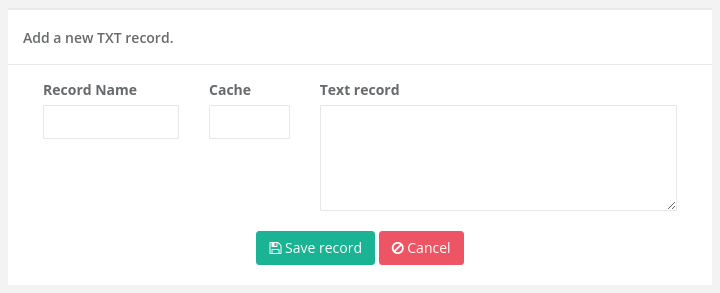
| TXT | Free text, used for SPF, DKIM, DMARC and domain verification | @ → google-site-verification=… |
| SRV | Location of a service (name, protocol, priority, weight, port, target) — used by some VoIP, chat and Microsoft 365 setups | _sip._tls → sipdir.online.lync.com. port 443 |
| CAA | Which certificate authorities may issue SSL for the domain | @ → 0 issue "letsencrypt.org" |
| NS | Delegates a subdomain to other nameservers | dev → ns1.otherhost.com. |
| PTR, DNAME, HINFO, RP, AFSDB, TLSA | Advanced records; use only if a service tells you to |
Email records (SPF, DKIM, DMARC)
These TXT records help your email reach inboxes instead of spam folders. The server creates them for your domain automatically; change them only if you send mail through other services too.
| Record | Name | Typical value |
|---|---|---|
| SPF | @ | v=spf1 +a +mx +ip4:SERVER-IP ~all — add include: entries for other senders, for example include:_spf.google.com |
| DKIM | default._domainkey | v=DKIM1; k=rsa; p=… (created by the server — do not change it) |
| DMARC | _dmarc | v=DMARC1; p=none — later p=quarantine once SPF and DKIM pass |
Warning: A domain may have only one SPF record. To allow another sender, edit the existing v=spf1 record and add its include: — do not create a second one.
Common tasks
- Use Google Workspace / Microsoft 365 for email: replace the MX records with the ones from your provider, add their SPF
include:and set Email Routing to Remote. - Point a subdomain to another server: add an A record, for example
app→ the other server’s IP. - Verify the domain for a service: add the TXT record the service gives you, on
@unless told otherwise.
Common problems
| Problem | Solution |
|---|---|
| Changes do not take effect | DNS changes take time to spread (up to the old TTL, sometimes 24–48 hours). Also check that the domain’s nameservers point to this server. |
| Your DNS zone is experiencing errors | A value has a wrong format, for example a full name without the trailing dot or an invalid IP. Correct it and save again. |
| Some fields are required | Fill in every field marked in red. |
| Invalid characters | Record names may contain letters, numbers, hyphens, dots and underscores only. |
CNAME on @ is not accepted | The domain itself cannot be a CNAME. Use an A record for @. |