The Log Viewer shows the web server logs of your domains. The error log tells you why a page fails (for example the PHP error behind a blank page or 500 Internal Server Error); the access log shows who visited which pages.
Where to find it: File Management → Log Viewer.
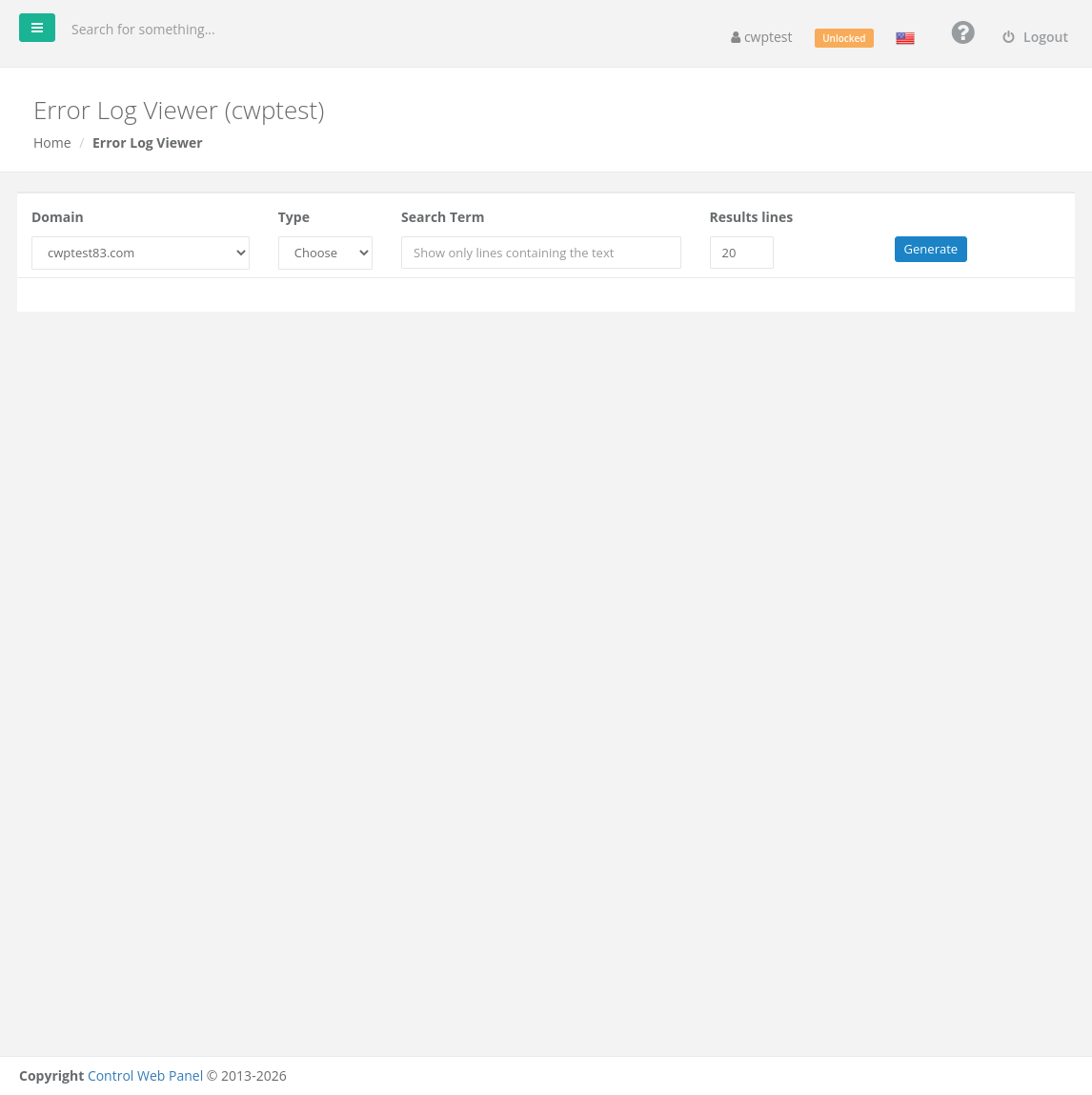
View a log
- Domain: choose the domain or subdomain.
- Type: choose Error Log or Access Log.
- Search Term (optional): show only lines that contain this text, for example
PHP Fatal, an IP address or a file name. - Results lines: how many of the most recent lines to show (default 20).
- Click Generate.
The lines appear in the black window below, newest at the bottom. An empty window means the log has no matching lines.
Reading the error log
| You see | Meaning |
|---|---|
PHP Fatal error: Uncaught Error: Call to undefined function … | The code needs a PHP extension that is not enabled, or a newer/older PHP version. Check the PHP Selector. |
PHP Fatal error: Allowed memory size … exhausted | The script needs more memory. Raise memory_limit in Edit php.ini. |
Maximum execution time … exceeded | The script ran too long. Raise max_execution_time in Edit php.ini. |
Permission denied | File ownership or permissions are wrong. Run Fix Account Issues. |
Invalid command '…', perhaps misspelled / .htaccess: … not allowed here | An .htaccess rule is not supported. Fix the file or use Fix Account Issues. |
ModSecurity: Access denied | A firewall rule blocked the request. See ModSecurity. |
Reading the access log
Each line shows the visitor IP address, date and time, the request (for example GET /index.php), the status code (200 = OK, 301/302 = redirect, 403 = forbidden, 404 = not found, 500 = server error), the size and the browser. Search for " 404 to find broken links, or for an IP address to see what a particular visitor did.