Fix Account Issues & Permissions repairs the most common file problems with one click: wrong ownership and permissions, and .htaccess rules that cause 500 Internal Server Error.
Where to find it: File Management → Fix Account Issues.
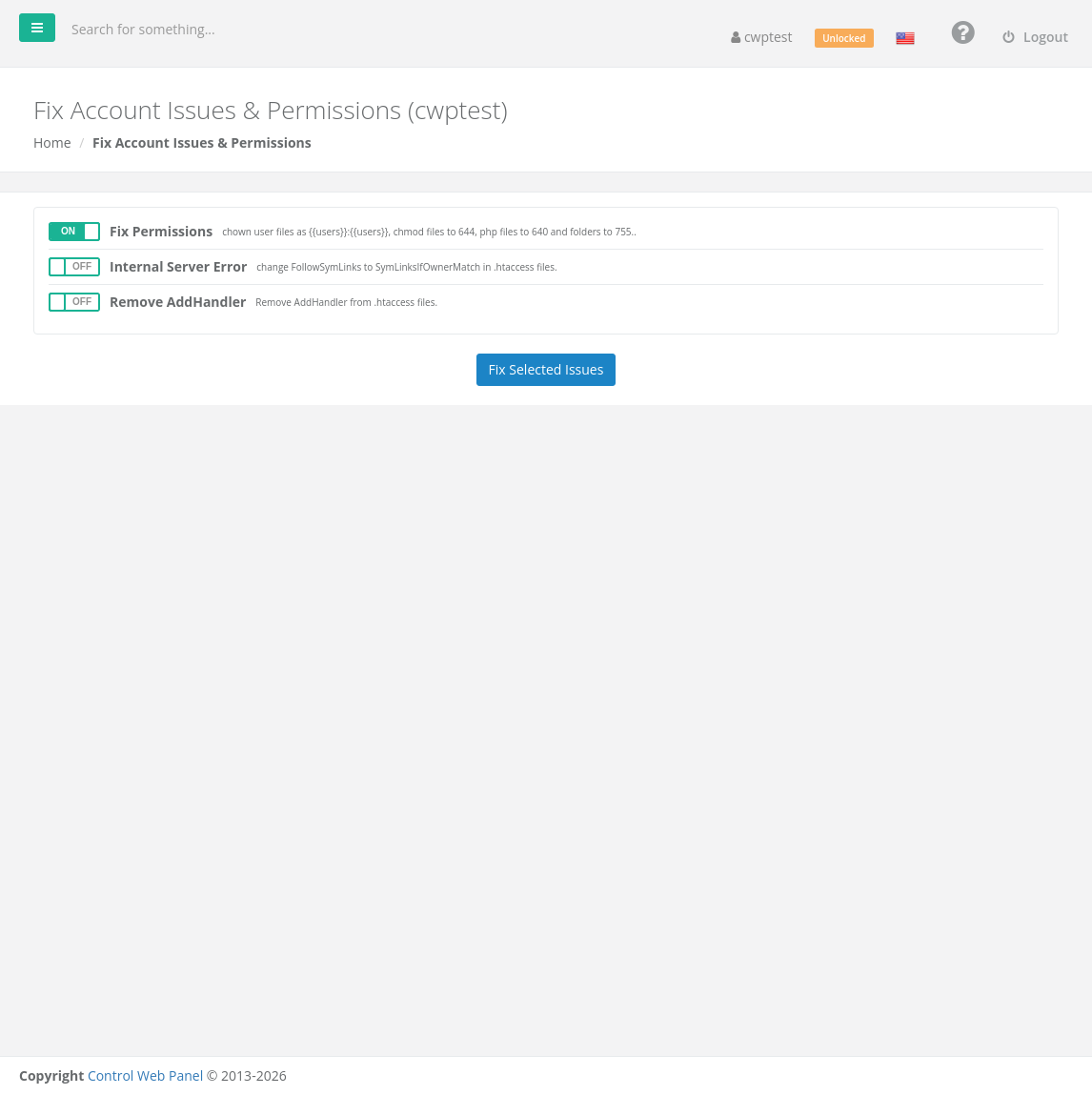
Options
| Option | What it does | When to use it |
|---|---|---|
| Fix Permissions | Sets your account as the owner of all your files and resets permissions: files 644, PHP files 640, folders 755. | After uploading files with a different user, after restoring a site from elsewhere, or when you see permission denied or 403 Forbidden. |
| Internal Server Error | Replaces FollowSymLinks with SymLinksIfOwnerMatch in your .htaccess files. | When a site shows 500 Internal Server Error because its .htaccess uses Options FollowSymLinks, which the server does not allow. |
| Remove AddHandler | Removes AddHandler lines from your .htaccess files. | When a site shows its PHP code, downloads .php files, or gives a 500 error after moving from another host. Old AddHandler lines can select a PHP version that does not exist on this server. |
Run it
- Switch on the options you need.
- Click Fix Selected Issues.
- Wait for Changes were made successfully.
The repair can take a while on accounts with many files.
Note: If you deliberately set special permissions (for example a writable upload folder), check them again afterwards. If a site still fails, look at the exact message in the Log Viewer. The File System Lock must be off for the repair to work.