The billing sells domain registrations, transfers and renewals. A paid domain order is registered at the registrar automatically, and renewal invoices go out before the domain expires.
Where to find it: Domains, Domain pricing and Domains → Registrars in the left menu.
Registrars
| Registrar | Fields |
|---|---|
| LogicBoxes / ResellerClub | Reseller ID (Settings → Personal information → Primary profile), API key (Settings → API; whitelist the billing server’s IP there too), test mode |
| Namecheap | API user and API key (Profile → Tools → API Access), the IP of the billing server (whitelisted at Namecheap), sandbox |
| Manual | No API. Staff register the domain by hand and click Mark active. |
Click Save and test to check the connection.
Domain pricing
Domain pricing lists the TLDs you sell. Each TLD has:
- a registrar, which registers, transfers and renews its domains;
- the register, transfer and renewal prices for 1 to 3 years, per currency (empty = not offered);
- the sort order.
Under Settings on that page you set:
- the default nameservers for new registrations;
- Renewal invoice days before expiry;
- Register automatically when the invoice is paid.
Availability in the order form is checked over RDAP, so no registrar API call is needed for the search.
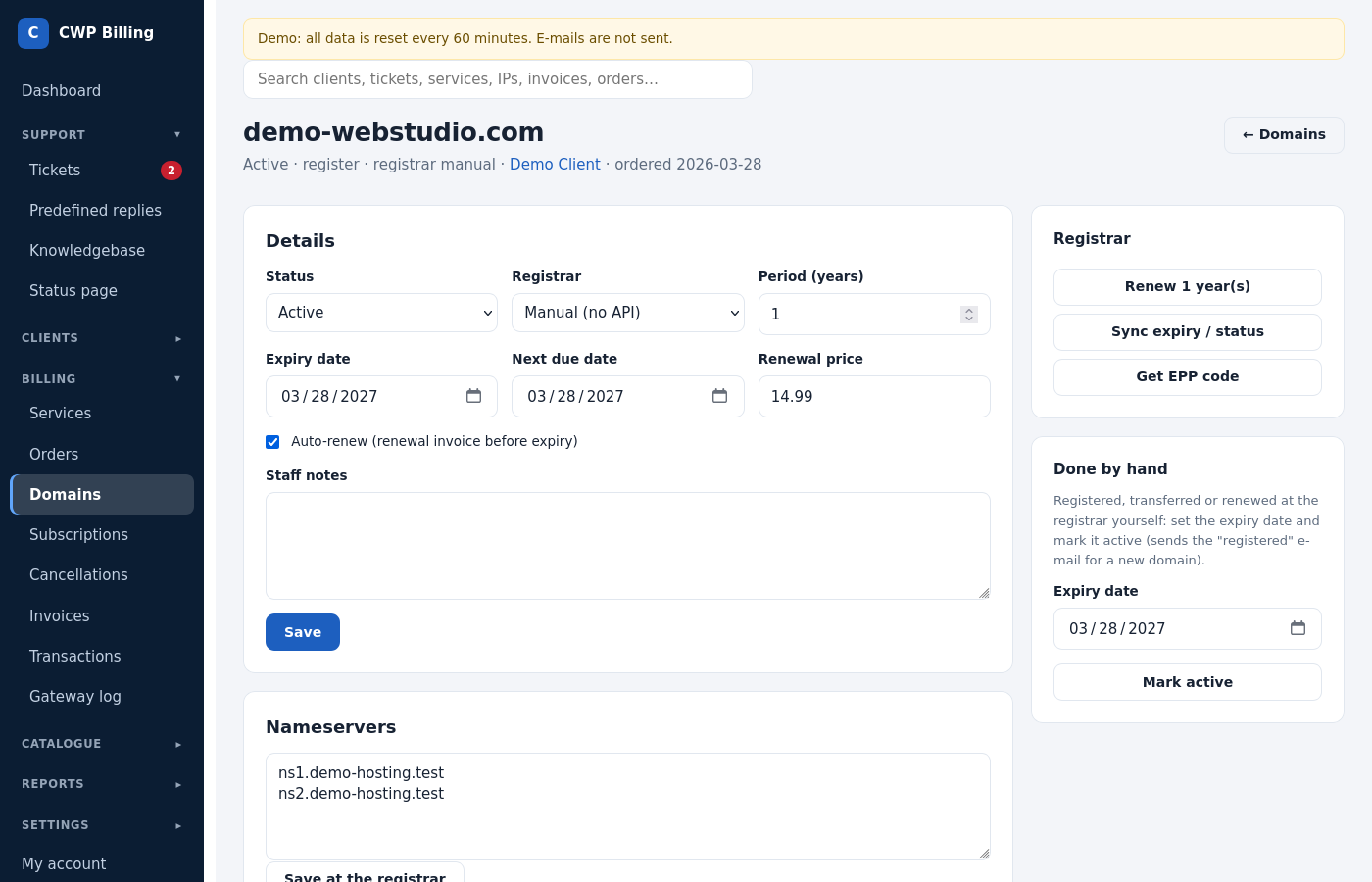
The domain page
| Field / button | Meaning |
|---|---|
| Status, registrar, expiry date, next due date | |
| Period (years), renewal price | Used for the next renewal invoice |
| Nameservers → Save at the registrar | Changes the nameservers at the registrar |
| Get EPP code | Gets the transfer code from the registrar |
| Sync expiry / status | Reads the expiry date and status from the registrar |
| Renew | Renews at the registrar now |
| Done by hand → Mark active | For the manual registrar, or after a registration made outside the billing |
| Staff notes, log |
In the client area, clients manage their nameservers, get the EPP code and renew their domains.
Common problems
| Problem | Cause and solution |
|---|---|
| A paid domain was not registered | Open the domain and check its Log. Usually the registrar has no funds, or the API IP is not whitelisted. Fix it and register again from the domain page. |
| IP not allowed from Namecheap or LogicBoxes | Whitelist the public IP of the billing server at the registrar. For Namecheap, enter the same IP in the registrar settings. |
| Expiry dates differ from the registrar | Click Sync expiry / status. |