A client is a customer account: company or person, address, currency, language and account credit. A client has services (products they ordered), domains, invoices and tickets. Several users can log in to one client account, each with their own permissions.
Where to find it: Clients and Services in the left menu, or the search box at the top (it finds clients, services, domains, invoices and tickets).
Add or edit a client
Clients → Add client, or Edit on a client:
| Field | Meaning |
|---|---|
| First name, last name, company, e-mail, phone | Contact details |
| Address, city, postcode, state, country | Printed on invoices. The country decides the tax. |
| Tax ID / VAT | EU businesses with a VAT number that VIES confirms get reverse charge. |
| Currency | The client’s prices and invoices use this currency. It cannot be changed once the client has invoices. |
| E-mail language | The language of e-mails to this client. |
| Brand | With several brands: the brand whose name, sender and invoice data the client gets |
| Status | Active, Inactive or Closed |
| Tax exempt | No tax on new invoices |
| Admin notes | Visible to staff only |
The client page
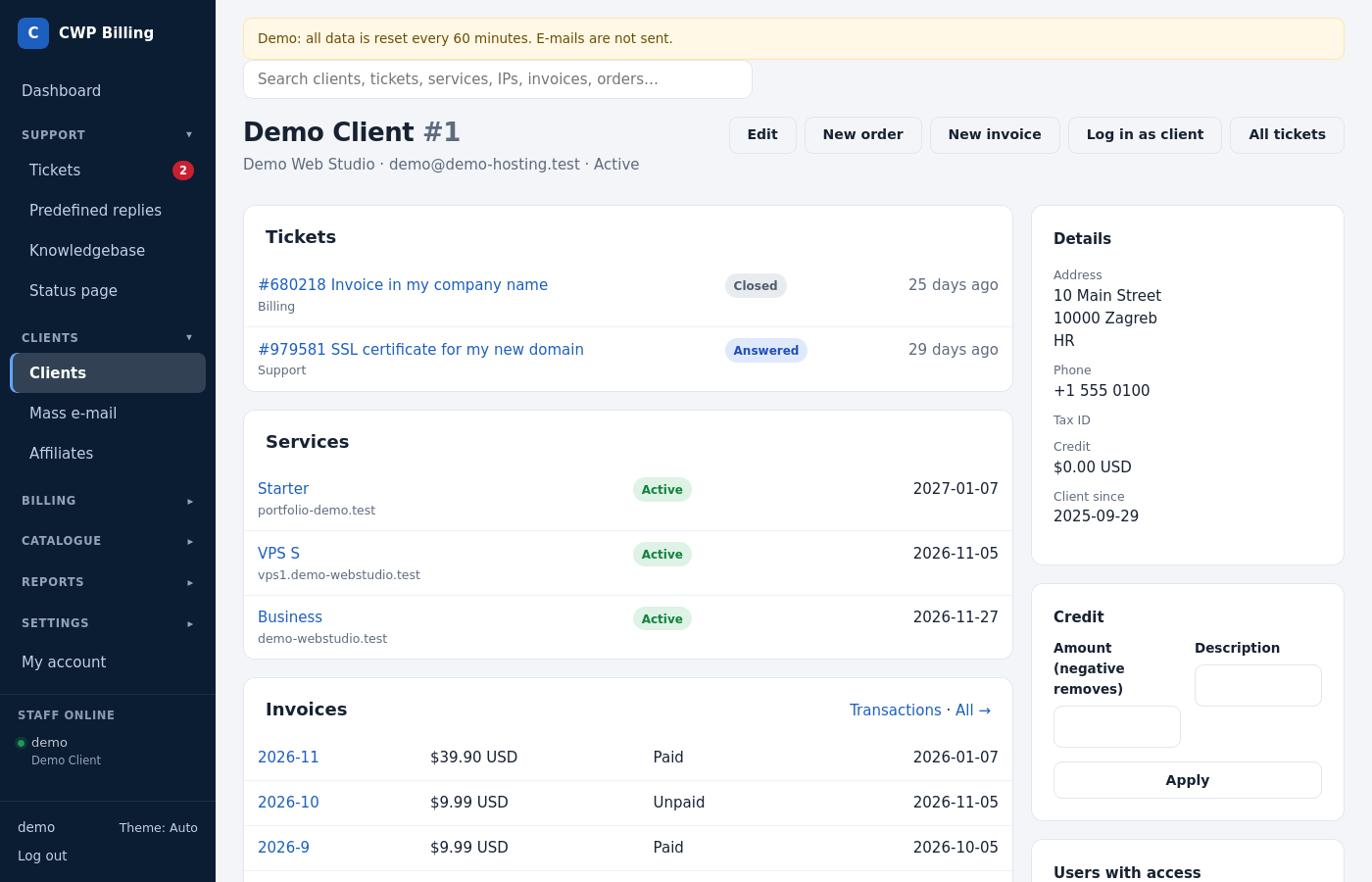
The client page shows the services, invoices and tickets of the client, the account credit, the contacts and the client’s notes. These buttons are on it:
- Log in as client opens the client area as this client, for example to see what they see. You need the permission Log in to the client area as a client. The login is recorded in the audit log.
- Account credit: enter an amount (a negative amount removes credit) and a description. Credit is applied automatically to new renewal invoices.
- New order: order products for the client, with or without an invoice.
Users of a client account
The account owner can invite more users (Users in the client area), for example a colleague who only pays invoices. One user can belong to several client accounts. These permissions are available:
| Permission | Allows |
|---|---|
| View services | See the services |
| Manage services | Cancel, see details and IPs |
| Log in to control panels | Single sign-on to CWP or cPanel |
| Invoices, payments and saved cards | |
| All tickets of the account | Without it, a user sees only their own tickets. |
| Place orders | |
| Edit company / billing details | |
| Invite and manage users | |
| E-mail history | |
| Affiliate program |
Services
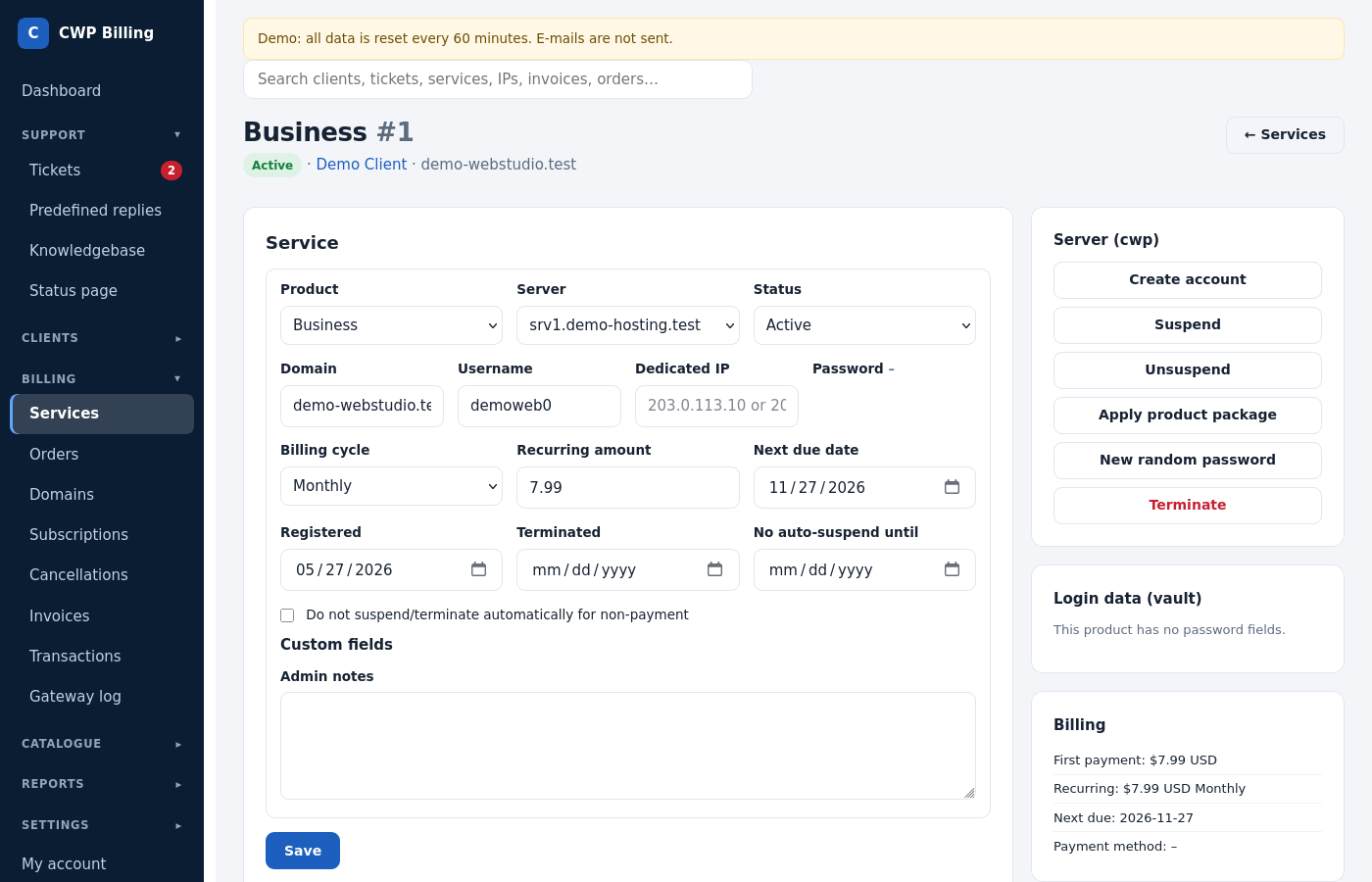
A service is one product of one client: a hosting account, VPS, license and so on. The service page shows:
| Field | Meaning |
|---|---|
| Product, server | It can be changed. Use Apply product package to change the package on the server. |
| Status | Pending, Active, Suspended, Terminated, Cancelled, Fraud |
| Domain, username, dedicated IP, password | The account on the server. The password is stored encrypted. |
| Billing cycle, recurring amount, next due date | What the next renewal invoice will be |
| No auto-suspend until | The automation does not suspend the service before this date. |
| Custom fields | The values entered at order time |
| Admin notes | Staff only |
The Server box has the module actions (create, suspend, unsuspend, apply product package, new password, terminate). See Servers and provisioning.
Upgrades and downgrades
Clients change the product or billing cycle under Upgrade / downgrade on the service:
- Same billing cycle: the client pays the price difference for the days left until the due date. The due date stays the same.
- Another billing cycle: the unused part of the current period is deducted from the full new price, and the new period starts today.
- Downgrade: a negative amount goes to the account credit (setting Credit on downgrade).
When the upgrade costs something, the billing creates an invoice and makes the change after it is paid. Otherwise the change happens at once, including the package change on the server.
Cancellations
Clients request a cancellation on the service. It can take effect immediately or at the end of the billing period. Requests are listed under Cancellations, where staff can Cancel now or Withdraw a request.
When the cancellation takes effect:
- the account is terminated on the server;
- unpaid renewal invoices of the service are cancelled, so no reminders follow;
- an active PayPal or Skrill subscription for the service is cancelled.
Subscriptions
Subscriptions lists the PayPal and Skrill subscriptions (also the ones imported from WHMCS), with their service and last payment. Select them and use Cancel selected at PayPal, for example when a service ended but its subscription is still paying.
Common problems
| Problem | Cause and solution |
|---|---|
| The client cannot change the currency | Currencies are fixed once invoices exist. Create the next invoices by hand, or ask the client to open a new account. |
| Log in to the control panel does nothing | The service is not active, or the server module does not support single sign-on (DirectAdmin, Proxmox). |
| A user does not see the invoices | The user lacks the permission Invoices, payments and saved cards. The account owner sets it under Users. |