Every staff member has their own login and a role. The role decides what they may do and which ticket departments they see. All important actions are written to the audit log, and a security monitor watches for attacks.
Where to find it:
- Staff (staff members, roles, admin IP allowlist);
- My account;
- Audit log and Login log.
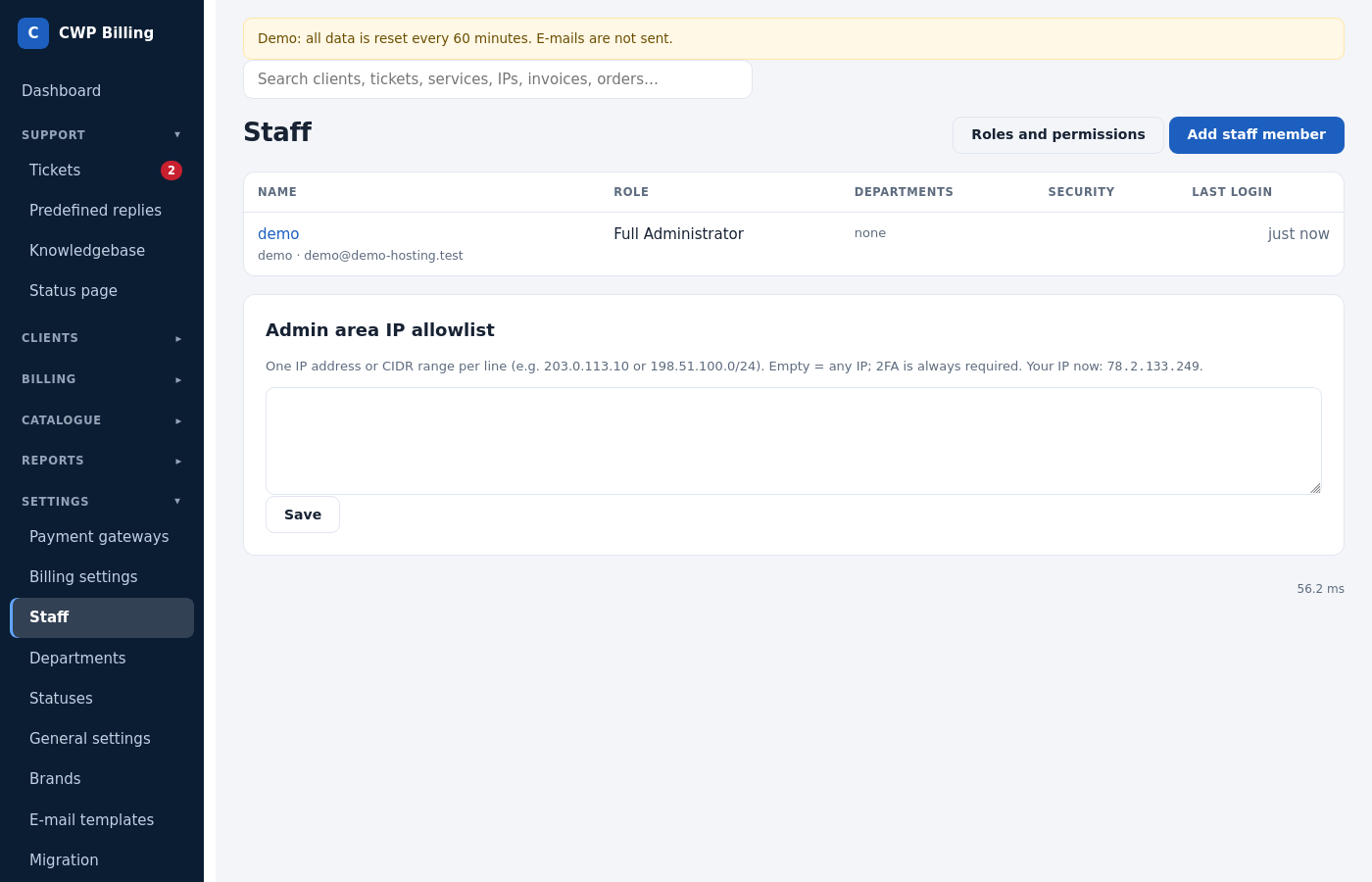
Staff members
Staff → Add staff member:
| Field | Meaning |
|---|---|
| Username, first and last name | The name is shown under ticket replies. |
| For notifications (new tickets, replies, orders) | |
| Role | See below |
| New password + reset 2FA | Sets a new password and makes the staff member set up 2FA again |
| Account disabled | Blocks the login without deleting the history |
Roles and permissions
A role is a set of permissions plus the departments whose tickets it can see. Tick Full access for administrators.
| Area | Permissions |
|---|---|
| Tickets | See tickets of their departments, see tickets of all departments, reply, add staff notes, change status/department/priority/assignment, delete tickets |
| Vault | Receive and reveal customer server credentials |
| Clients | View, add and edit clients, log in as a client, send mass e-mails |
| Affiliates | View affiliates, adjust balances and record payouts |
| Services and orders | View services, edit services, run server actions, accept/cancel/mark fraud orders |
| Invoices | View invoices and transactions, create and edit invoices, add payments, refunds and credit |
| Setup | Products, servers, payment gateways, billing settings, departments, statuses, general settings, knowledgebase and announcements, staff and roles |
| Other | Use the staff API, reply in the name of another staff member (API), view the audit log, view reports |
Logging in and two-factor authentication
Staff log in at https://billing.example.com/<admin path>/. The admin path is secret, so keep it out of public links.
- 2FA (authenticator app, TOTP). Each staff member can switch it on under My account → Two-factor authentication. To make it mandatory for everyone, tick General settings → Staff login → Two-factor authentication required for all staff. Staff without 2FA then set it up at their next login.
- Lost the authenticator? An administrator resets it with New password + reset 2FA, or on the server:
php bin/console admin:reset-2fa <username>. - Sessions are bound to the IP address and end after 24 hours without activity (
admin_idle_minutes). - Brute force: failed logins are throttled per IP and per user name.
Admin area IP allowlist
Staff → Admin area IP allowlist: one IP or CIDR range per line, for example 203.0.113.10 or 198.51.100.0/24. Empty = any IP. The page shows your current IP, so you don’t lock yourself out. Locked out anyway? Clear admin_ip_allow in the settings table, or add your IP to admin_ip_allow in config.php.
My account
- Change your password.
- Two-factor authentication.
- Reply signature for tickets.
- Ticket e-mails: which notifications you get.
- API keys for the staff API. You can limit a key to IPs and revoke it.
Audit log, login log and security alerts
- Audit log: who did what and when: logins, settings, invoice changes, refunds, credential reveals, exports.
- Login log: every client and staff login, failed ones too, with IP and browser. One IP, several client accounts (24 h) shows possible shared or stolen accounts.
- Security monitor: every few minutes the cron checks the logs and opens a ticket in the hidden Alerts department for each finding:
- one IP logged in to many client accounts;
- credential stuffing (many failed logins on several accounts);
- brute force on staff logins;
- password or e-mail changed right after a login from a new IP;
- one staff member revealing unusually many server passwords.
Common problems
| Problem | Cause and solution |
|---|---|
| A staff member is logged out right after the login | Their IP changes between requests. This happens behind a proxy or CDN that is not in trusted_proxies, or on a mobile connection. Add the proxy, or set admin_bind_ip to false. |
| Access denied on a page | The staff member’s role lacks that permission. |
| Locked out by the IP allowlist | Add your IP to admin_ip_allow in config/config.php, or remove the allowlist from the database. |