The billing sends e-mails for orders, invoices, services, tickets and security events, in the client’s language. You can edit every text. Mass e-mails to chosen clients are sent slowly in the background, with a one-click unsubscribe link.
Where to find it:
- General settings → Outgoing e-mail (SMTP);
- E-mail templates;
- Mass e-mail.
Outgoing e-mail (SMTP)
| Field | Meaning |
|---|---|
| SMTP host | Empty = PHP mail() |
| Port, encryption | 587 with TLS (STARTTLS), 465 with SSL, or none |
| Username, password | The password is stored encrypted. |
Click Send a test e-mail to me after saving.
Senders:
- ticket e-mails are sent from the department’s address;
- invoice e-mails from Invoice e-mails sent from in Billing settings;
- everything else from
mail.fromin config.php, or from the brand’s sender.
Deliverability: publish SPF, DKIM and DMARC for the sending domain, otherwise Gmail and others may reject or junk the mails.
For a test installation, set 'mail' => ['mode' => 'log'] in config.php. E-mails are then only written to storage/mail/ and never sent.
E-mail templates
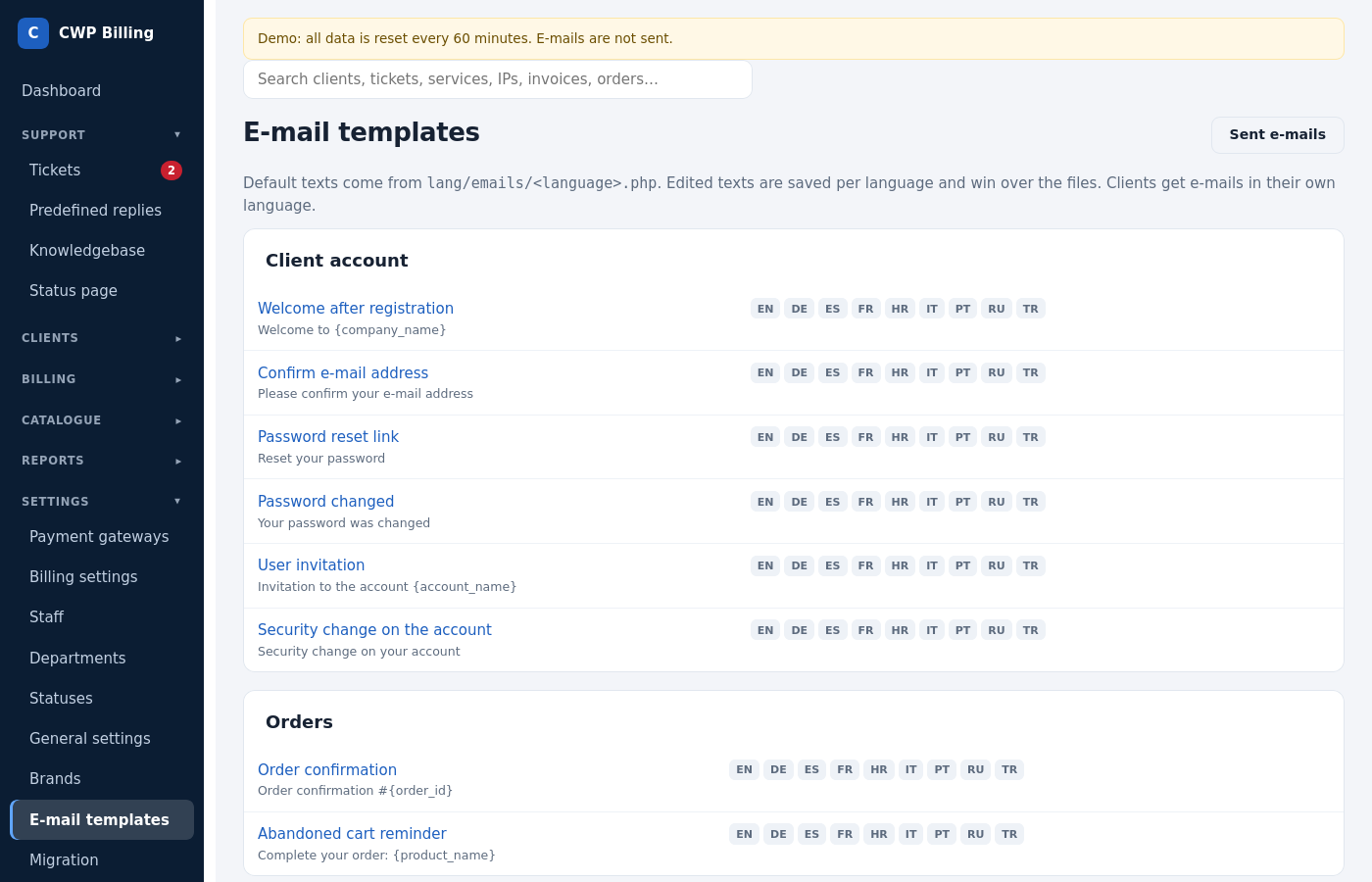
E-mail templates lists all templates:
- Client account: sign-up, e-mail verification, password reset and change, user invitation, security notice.
- Orders and services: order confirmation, welcome, service expires soon, suspended, unsuspended, terminated, cancellation confirmation.
- Invoices: invoice created, paid, reminder, payment failed, refunded.
- Tickets: opened, reply, closed.
- Domains: registered, transfer started.
- Staff notifications: new order, new ticket, ticket reply, cancellation.
- Cart reminder.
Each template exists in every language. Open one to change the Subject and the Text (plain text). The Placeholders list shows what you can use, for example {client_first_name}, {invoice_number}, {service_details} and {signature}. The Preview shows the result. Restore default brings the original text back.
Signature: the {signature} placeholder, set at the top of the templates page, for example “Best regards, {company_name}”.
The E-mail log (on the client, and in the client area for the client) keeps a copy of every e-mail sent.
Mass e-mail
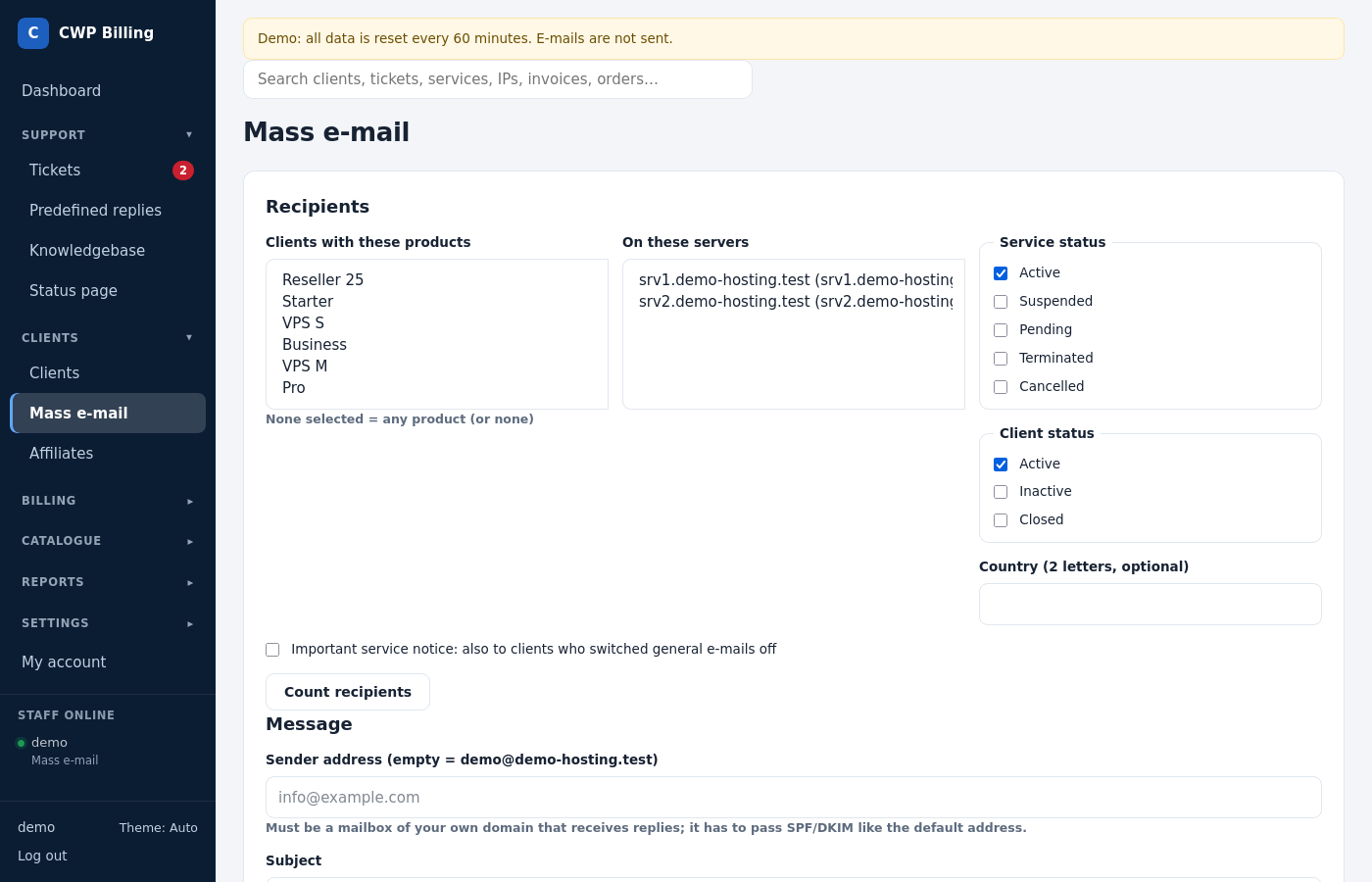
- Recipients: filter by products, servers, service status, client status and country. Click Count recipients to see how many clients match.
- Message:
- the sender address (empty = the default sender), the subject and a plain-text message;
- placeholders such as
{client_first_name},{client_name}and{company_name}; - Important service notice: the mail also goes to clients who switched general e-mails off. Use it only for real service notices.
- Sending:
- E-mails per minute: keep it low for large lists, for example 10–30 per minute, so Gmail and Yahoo don’t throttle you;
- Check the addresses before sending: skips addresses without a valid domain (no MX or A record).
- Send. The mail is queued and the
massmail:sendcron (every minute) delivers it at that rate, so a large list can run for hours.
The Sent list shows the progress. Addresses that failed are listed under problems. Every mass e-mail has List-Unsubscribe headers (RFC 8058 one-click) and an unsubscribe link at the bottom. A client who unsubscribes gets no further general e-mails, but still gets invoices, service and ticket e-mails.
Common problems
| Problem | Cause and solution |
|---|---|
| No e-mails arrive | Check the e-mail log on the client. If the mail is there, check SMTP and the mail server log. If it isn’t, check mail.mode in config.php (it must be send). |
| E-mails land in spam | Set SPF, DKIM and DMARC for the sender domain, and send from a domain that matches the SMTP server. |
| A mass e-mail does not start | The massmail:send cron (every minute) is missing. |
| A client gets no mass e-mails | The client switched general e-mails off, unsubscribed, or the address failed the check. |