Clients pay invoices with Stripe (cards and the wallets you enable in Stripe Checkout), PayPal, Skrill or bank transfer. Card data never touches your server. Stripe and PayPal show their own payment page.
Where to find it: Payment gateways in the left menu. Gateway log shows every callback and webhook.
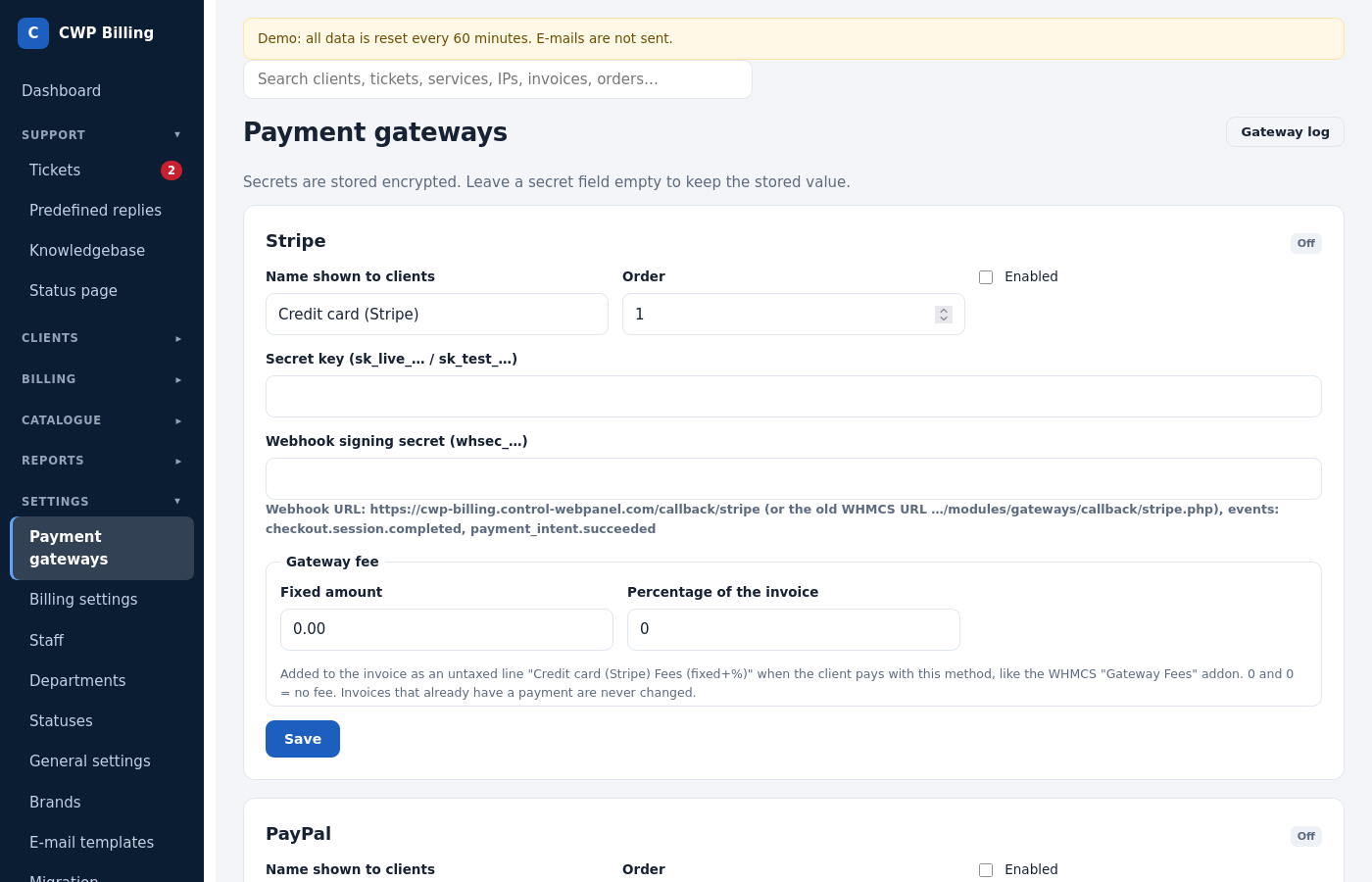
For each gateway you set:
- whether it is active;
- the Name shown to clients;
- its Order in the list;
- the keys;
- an optional gateway fee (a fixed amount or a percentage of the invoice) that is added to invoices paid with it.
The secrets are stored encrypted.
Stripe
| Field | Where to get it |
|---|---|
| Secret key | Stripe Dashboard → Developers → API keys (sk_live_…, or sk_test_… for testing) |
| Webhook signing secret | Stripe Dashboard → Developers → Webhooks → Add endpoint |
Webhook endpoint: https://billing.example.com/callback/stripe
Events: checkout.session.completed, payment_intent.succeeded
Clients can save their card while paying. Saved cards are charged automatically on the due date of renewal invoices, with up to 3 attempts. A failed charge sends the payment failed e-mail. Clients can remove the card in the client area.
PayPal
| Field | Where to get it |
|---|---|
| REST app client ID and secret | developer.paypal.com → Apps & Credentials → your app (Live) |
| Webhook ID | The same app → Webhooks. URL: https://billing.example.com/callback/paypal |
| Sandbox | Tick it for testing with sandbox credentials. |
| IPN receiver e-mail(s) | Your PayPal account e-mail(s). IPN payments to any other account are rejected. |
| Classic API username, password and signature (optional) | Only needed to cancel old PayPal Standard subscriptions from the billing: PayPal → Account settings → API access → NVP/SOAP API credentials. |
Old PayPal Standard subscriptions (for example from WHMCS) keep paying: the billing answers their IPN messages at the old WHMCS URL. See Moving from WHMCS.
Skrill
| Field | Meaning |
|---|---|
| Merchant e-mail | Your Skrill account (pay_to_email) |
| Merchant ID | From the Skrill account |
| Secret word | Skrill → Settings → Developer settings |
Bank transfer
Enter the payment instructions (bank, IBAN, SWIFT). The billing adds the invoice number as the payment reference. Staff record the payment with Add payment on the invoice.
Reconciliation
Reports → Gateway reconciliation lists:
- callbacks that were rejected or failed, which may be payments you missed;
- invoices paid more than once, for example by a subscription after the invoice was already paid;
- on request, Stripe Checkout payments of the last hours that have no transaction in the billing.
Common problems
| Problem | Cause and solution |
|---|---|
| Stripe: Invalid signature in the gateway log | The webhook signing secret belongs to another endpoint, or to test mode. Copy the secret of exactly this endpoint. |
| PayPal payment done, invoice unpaid | The webhook ID is missing or wrong, or the webhook was created in the sandbox app. Check the Gateway log. |
| The client paid twice | The billing records each gateway transaction ID only once, and Gateway reconciliation lists invoices paid more than once. Refund the extra payment with a credit note, or leave it as account credit. |
| Webhooks are not received at all | The billing URL must be reachable over HTTPS from the internet. Check that a firewall or admin IP allowlist does not block /callback/…. |