Actions on one server
On the server page (Overview → Maintenance): Check for CWP update, CWP update and OS package update (yum/dnf). The result says when a reboot is needed. Long actions run as jobs on the server; Jobs shows their progress and output.
Tasks on many servers
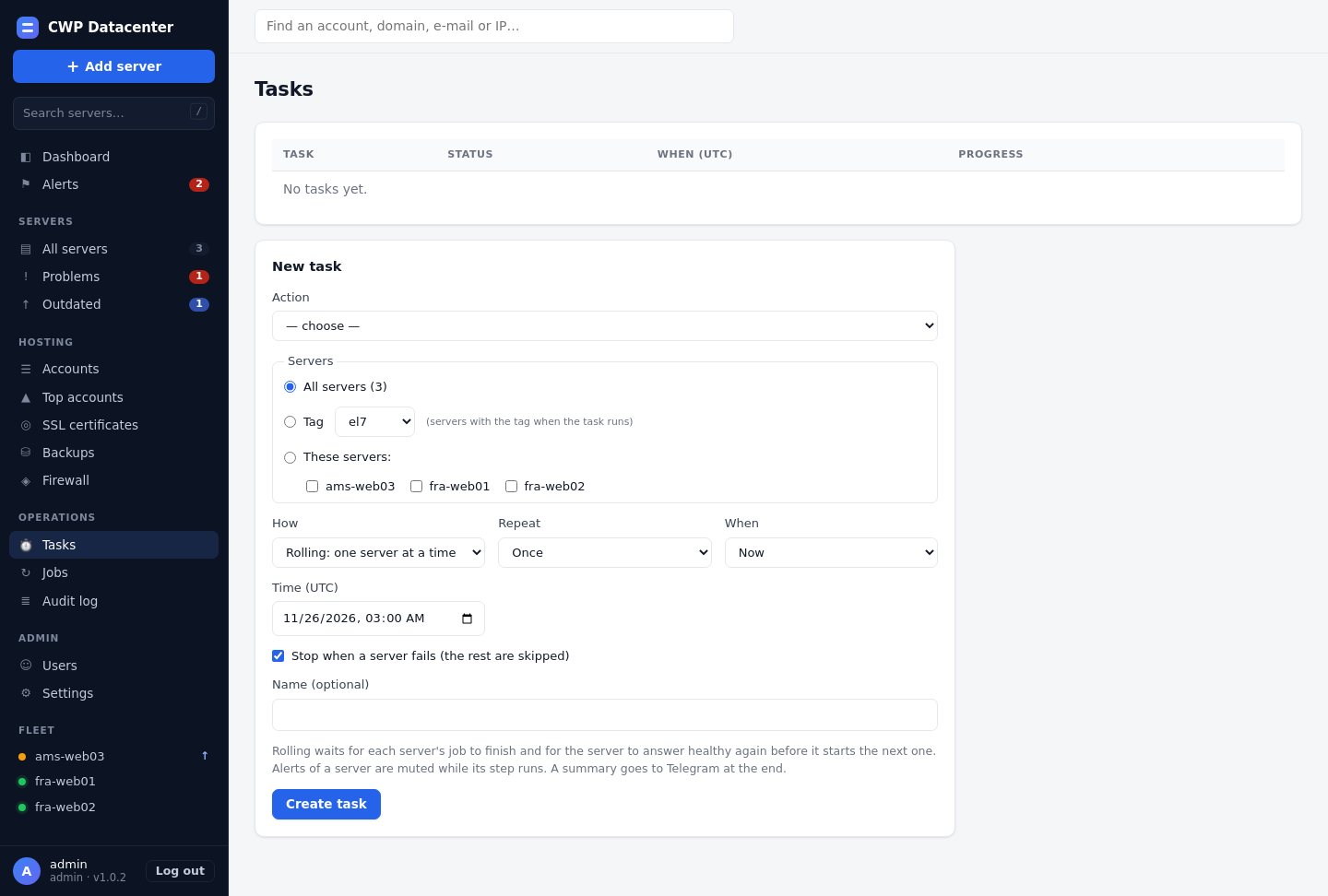
Tasks → New task, or select servers in the Servers list:
- Action: CWP update, check for CWP update, OS package update, or restart / start / stop a service.
- Servers: a selection, a tag, or all servers.
- Mode: one by one (rolling: the next server starts after the previous one finished well; the task stops at the first failure) or all at once.
- When: now, or at a date and time in the panel’s time zone.
The task page shows every server with its result (✔ done, ✘ failed, – skipped) and the output of each job. Tasks run in the background worker, so the browser can be closed.
Note: Use one by one for CWP and OS updates on production servers. If an update breaks something, it stops after the first server.
Version checks
CWP DataCenter Panel compares the CWP version of every server with the latest release and lists outdated servers in the left menu (Outdated). It also shows servers that need a reboot after a kernel update.