Telegram
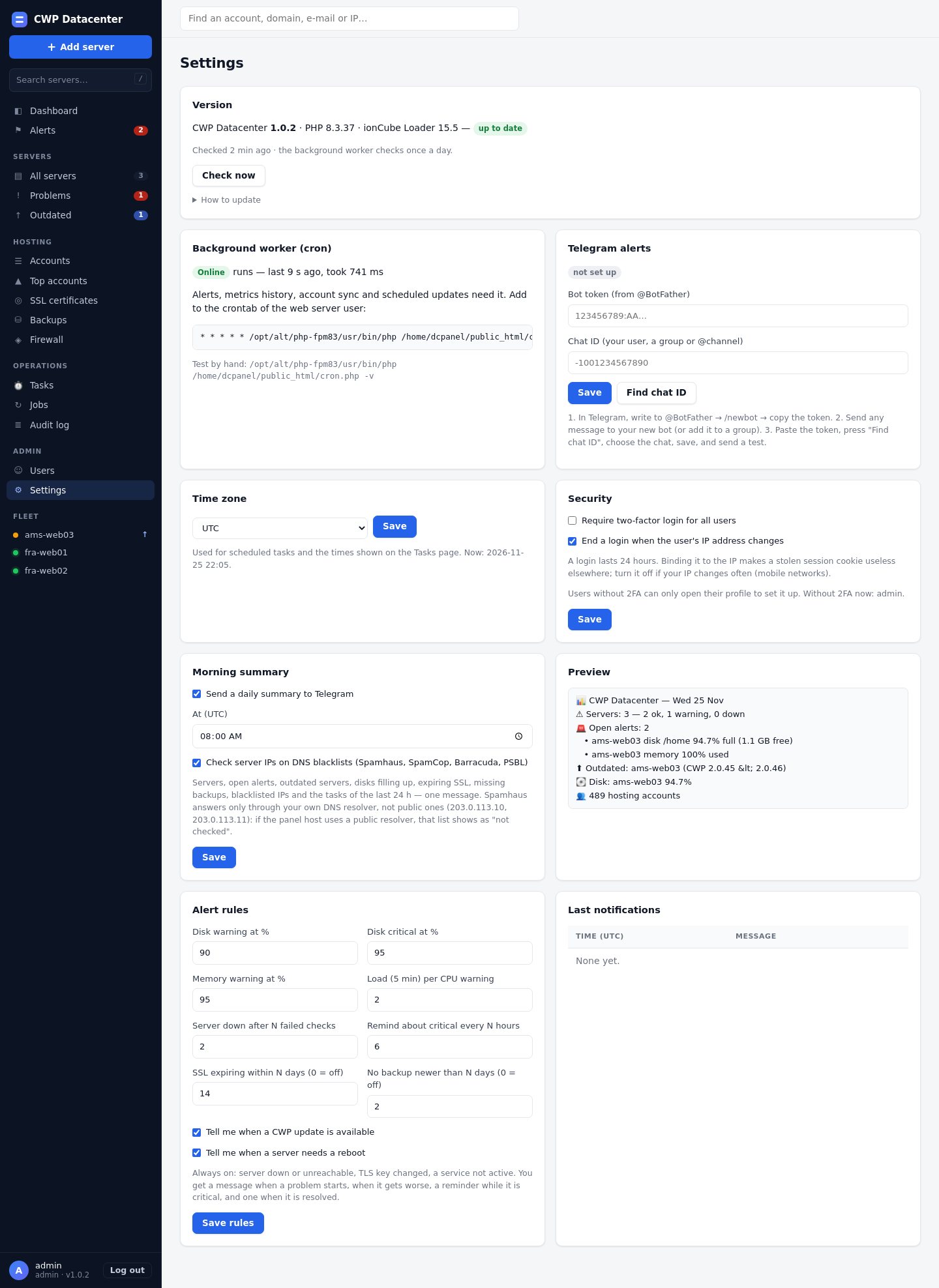
Settings → Telegram alerts:
- In Telegram, talk to @BotFather, create a bot with
/newbotand copy its token. - Paste the token in the panel and save.
- Send any message to your bot (or add the bot to a group and write there), then click Find chat ID.
- Click Send test message.
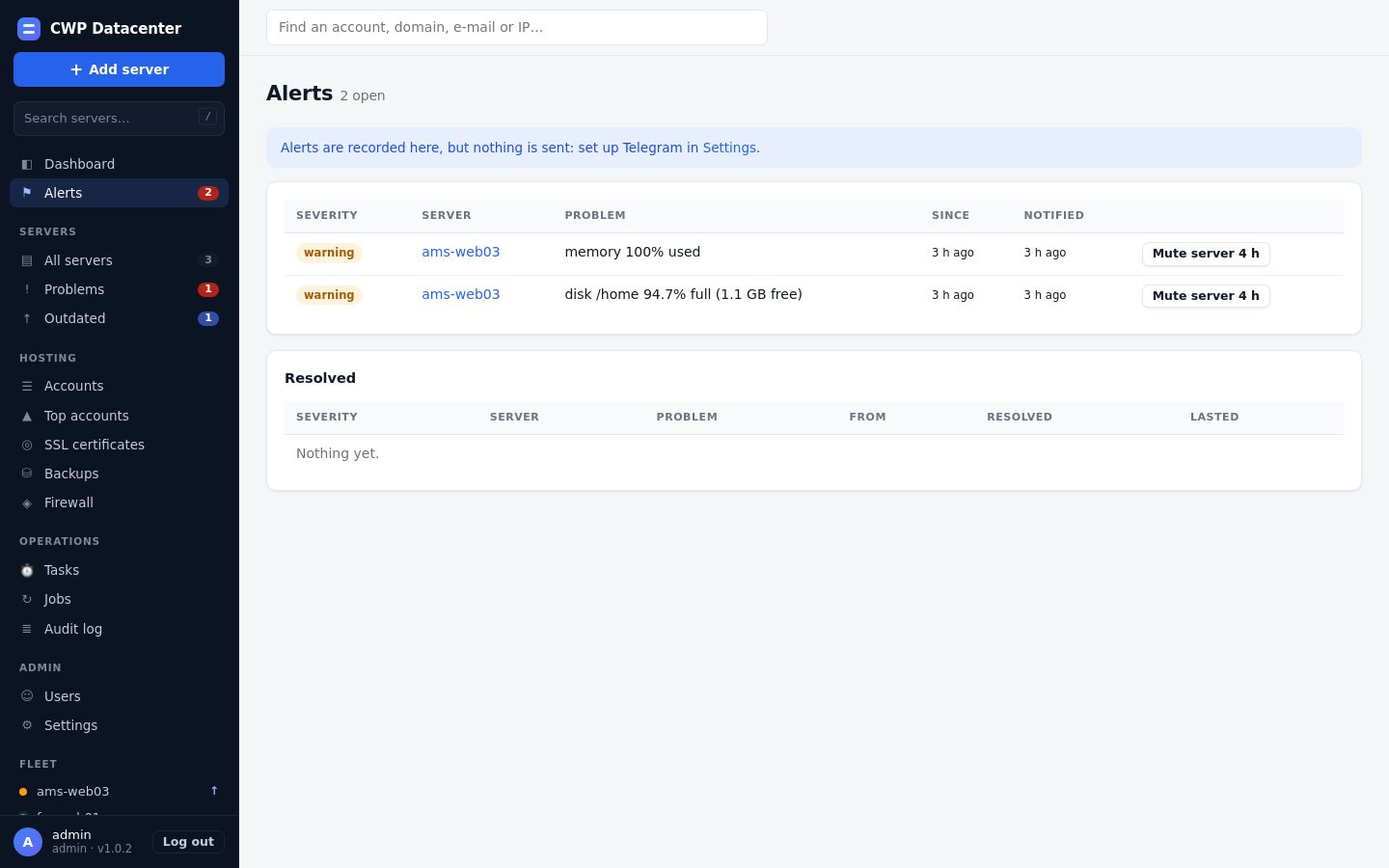
The background worker sends one combined message per run when something starts, gets worse or is resolved. A critical alert that lasts is repeated as a reminder (every 6 hours by default).
Alert rules
| Alert | Level | Default | |
|---|---|---|---|
| Server not reachable | critical | after 2 failed checks in a row | |
| TLS key changed (pin mismatch) | critical | possible man-in-the-middle or a renewed certificate; re-add the server if the change is yours | |
Disk /home full | warning / critical | 90 % / 95 % | |
| Disk full forecast | warning | full within 14 days at the current rate | |
| Memory | warning | 95 % used | |
| Load | warning | 5-minute load ≥ 2.0 per CPU | |
| Service not running | critical | any monitored service | |
| SSL certificate expiring | warning | within 14 days: AutoSSL renewal is not working | |
| Backups | warning / critical | turned off, stuck, with errors, or no finished run for 2 days | |
| IP on a DNS blacklist | warning | with the delisting link | |
| CWP update available, reboot required | info | can be turned off | |
| No CWPpro license | warning | see {{link:datacenter-licensing | Licensing}} |
All limits are in Settings → Alert rules. Alerts lists open and resolved alerts.
Morning summary
Settings → Morning summary sends one Telegram message every morning at the hour you choose: servers with problems, disk and memory, updates waiting, backups, SSL and blacklists. Preview shows it in the browser.
Fleet overviews
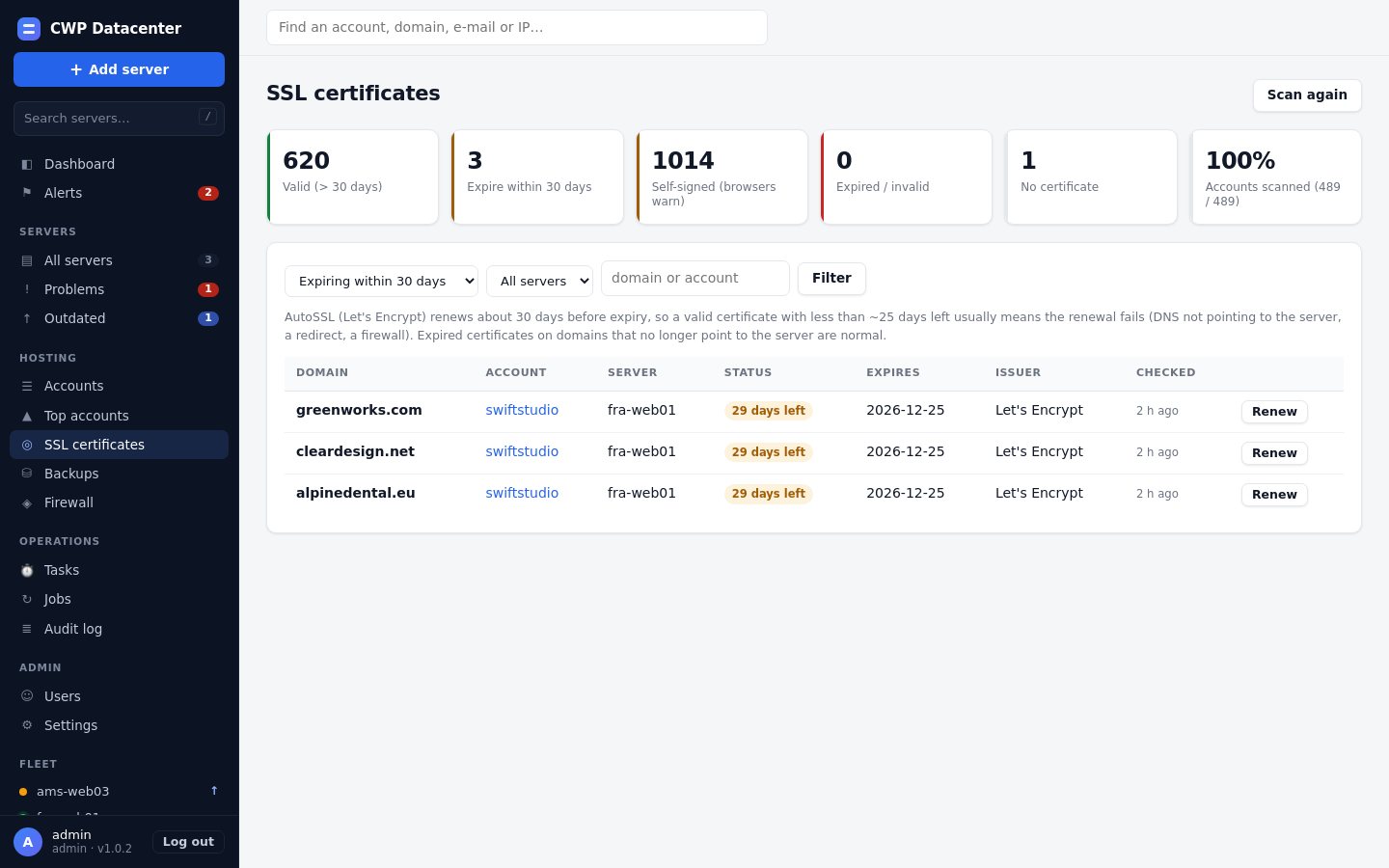
- SSL: every certificate on every server, sorted by expiry.
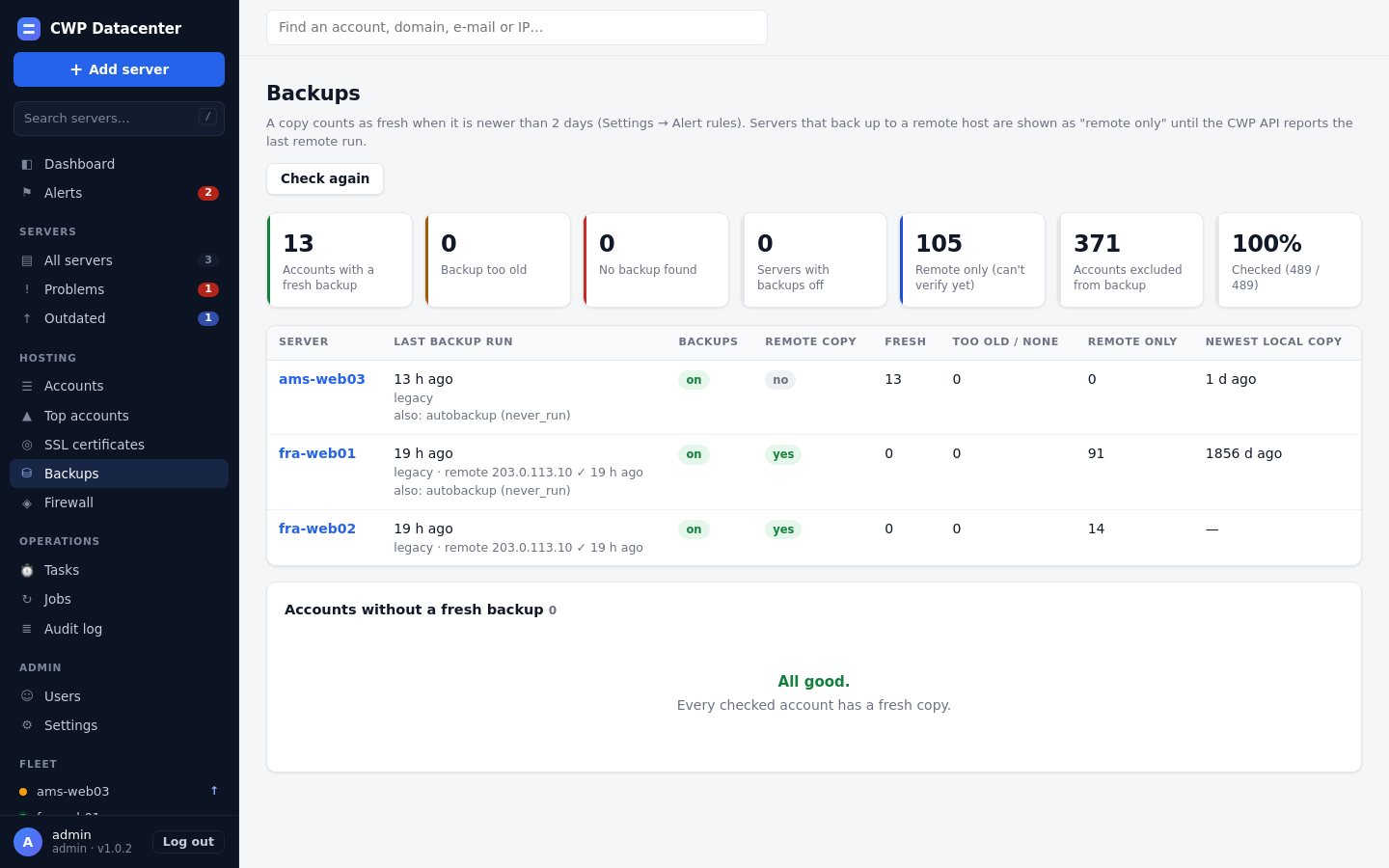
- Backups: the backup system of each server (including the legacy CWP backup and remote destinations), the last run, its errors, and accounts without a recent backup.
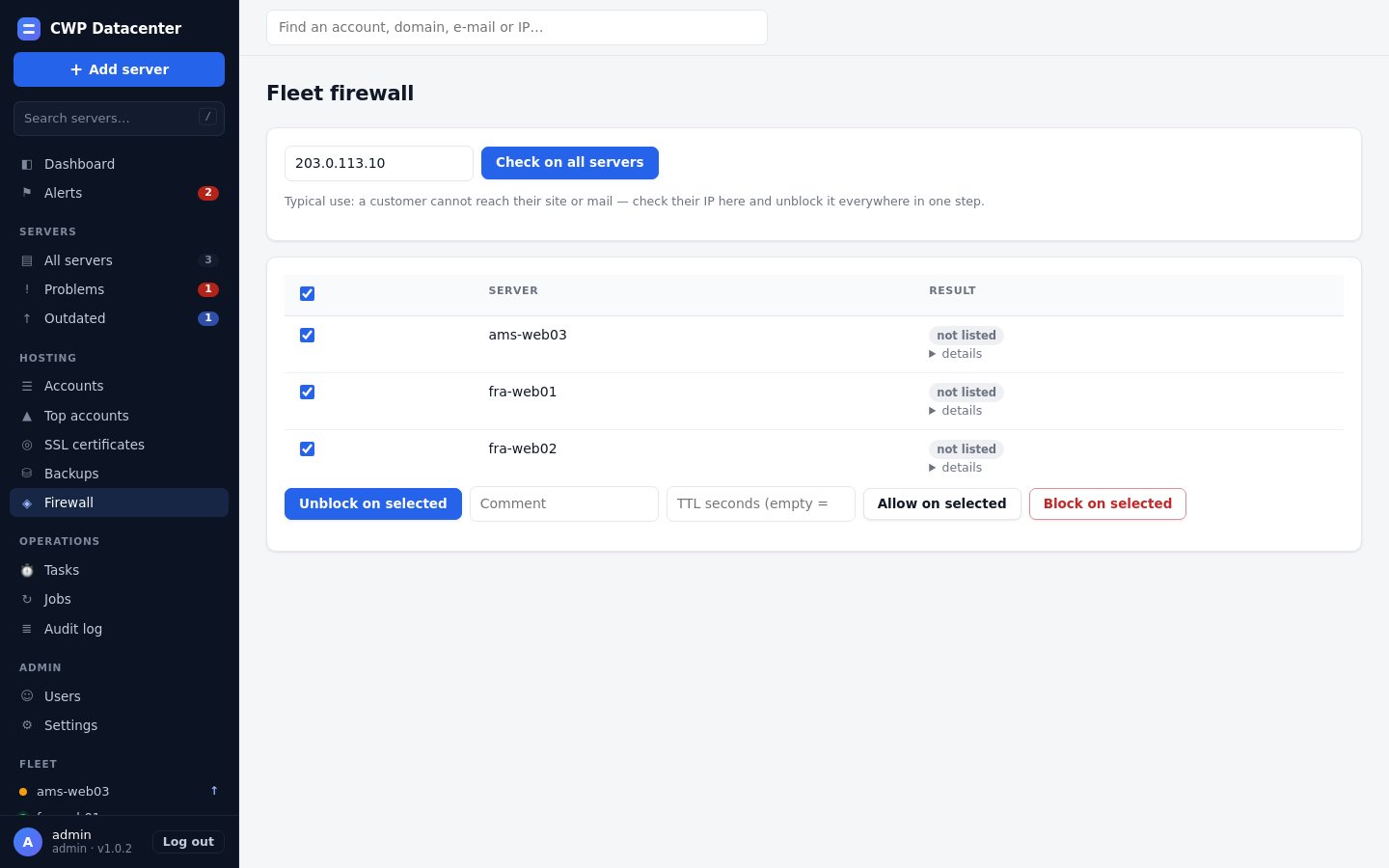
- Firewall: look up an IP on all servers at once (CSF allow, deny and temporary blocks, LFD), and unblock it everywhere with one click.
- Mail reputation: the background worker checks the IPs of all servers against the common DNS blacklists. Listings show on the server’s overview and as alerts, with the delisting link.
Background worker
Settings → Background worker (cron) shows when the worker last ran and how long it took. If it is not running, alerts, history and scheduled tasks stop; check the cron line from the installation.