Roles
| Role | Can |
|---|---|
| admin | everything, including adding and changing servers, users and settings |
| operator | work on accounts and servers: account changes, service actions, tasks, firewall, alerts. Not: adding or changing servers, users, settings |
| viewer | look only |
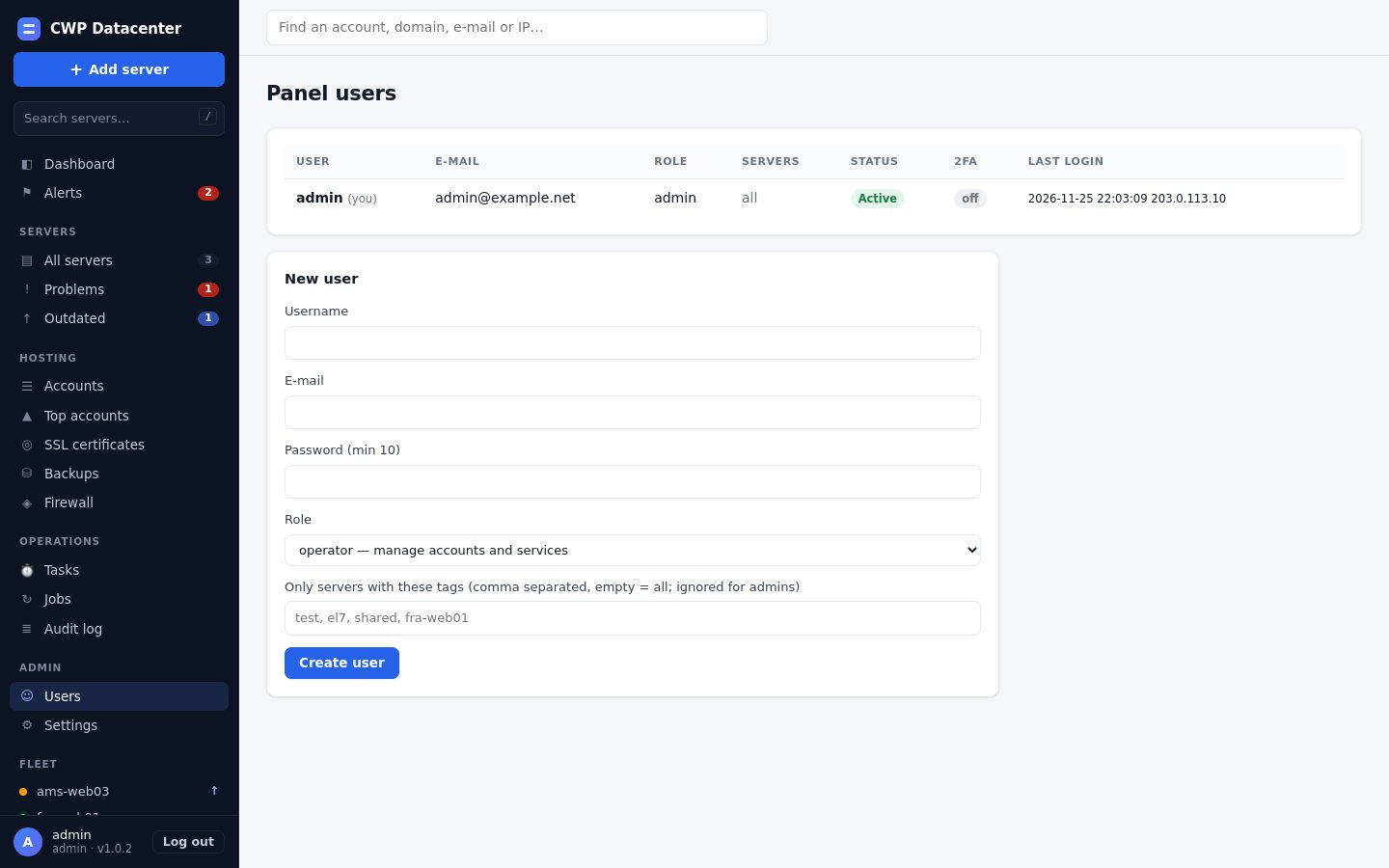
Users → New user. A user can be limited to server tags: they see and manage only servers with those tags, and only the accounts on them. Admins always see everything.
Two-factor login
Each user turns on 2FA on Profile with any authenticator app (Google Authenticator, Authy, 1Password …). Settings → Security → Require 2FA makes it mandatory for everyone; users without it set it up at their next login.
Sessions
A login lasts 24 hours. With Bind sessions to the IP address (Settings → Security), a session ends when the user’s IP changes. Repeated wrong passwords from one IP block further logins from it for a while.
Audit log
Audit log records every change: logins, servers added or changed, actions and tasks, account changes, users and settings, with the user and IP.
How tokens are protected
- API tokens are stored encrypted (AES-256-GCM). The key is in
config.php, which the installer writes with mode 0600. - Every token created by
datacenter_addserveronly works from the panel’s IP, and port 2304 of the server is open only for that IP. - The TLS key of each server is pinned. A different key stops all requests to that server and raises a critical alert.
- All pages use CSRF protection and a strict Content Security Policy.
Note: Keep config.php and the database backup safe: together they unlock the tokens of your servers. If you suspect a leak, revoke the tokens on the servers (/scripts/cwp_api2 token list, token revoke <id>) and add the servers again.
More about the connection to the servers: Security of the API connection.