All accounts
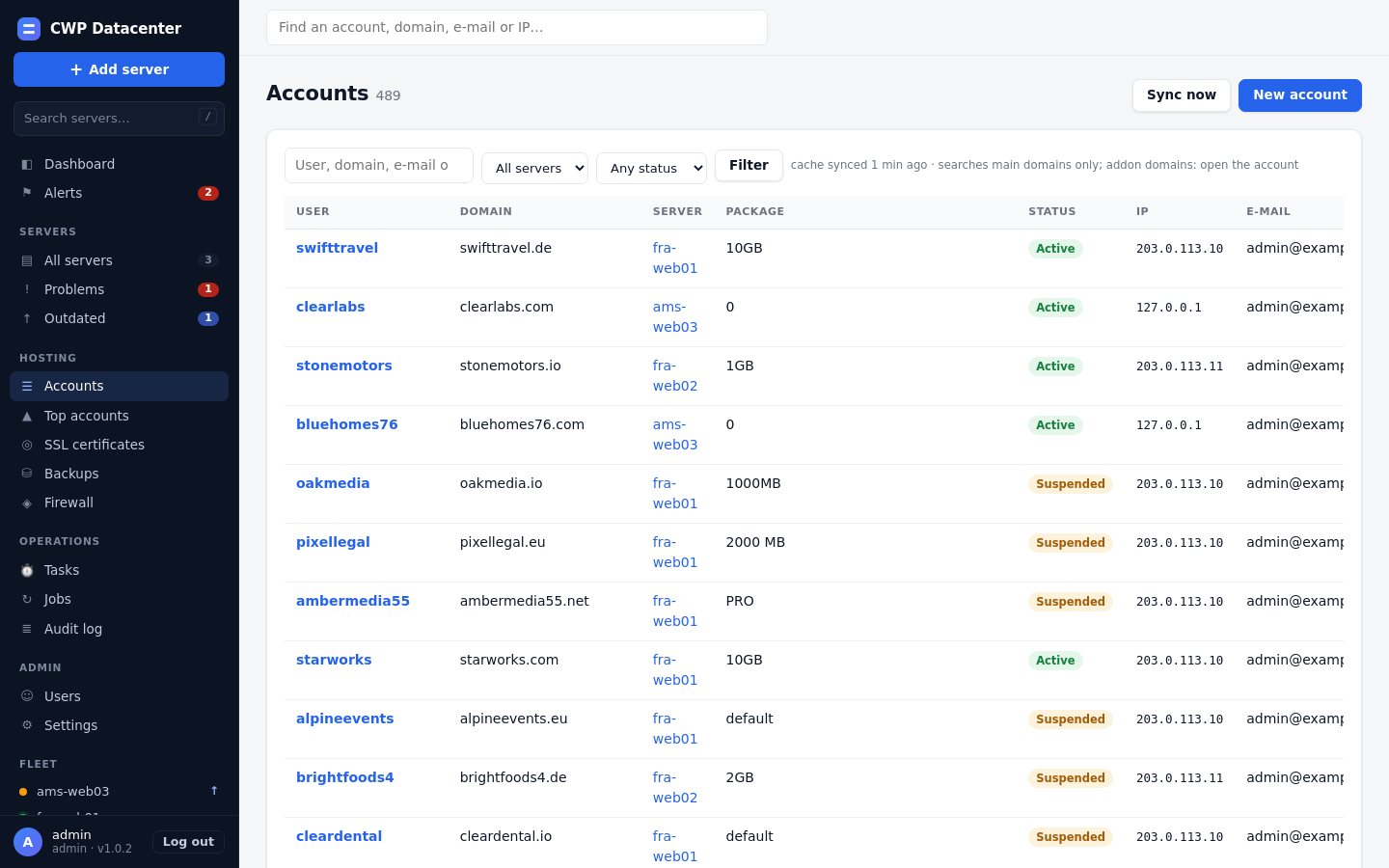
Accounts lists the hosting accounts of all servers: user, domain, server, package, disk and bandwidth. Search by user, domain or e-mail; the list is refreshed by the background worker, so the search is instant even for thousands of accounts.
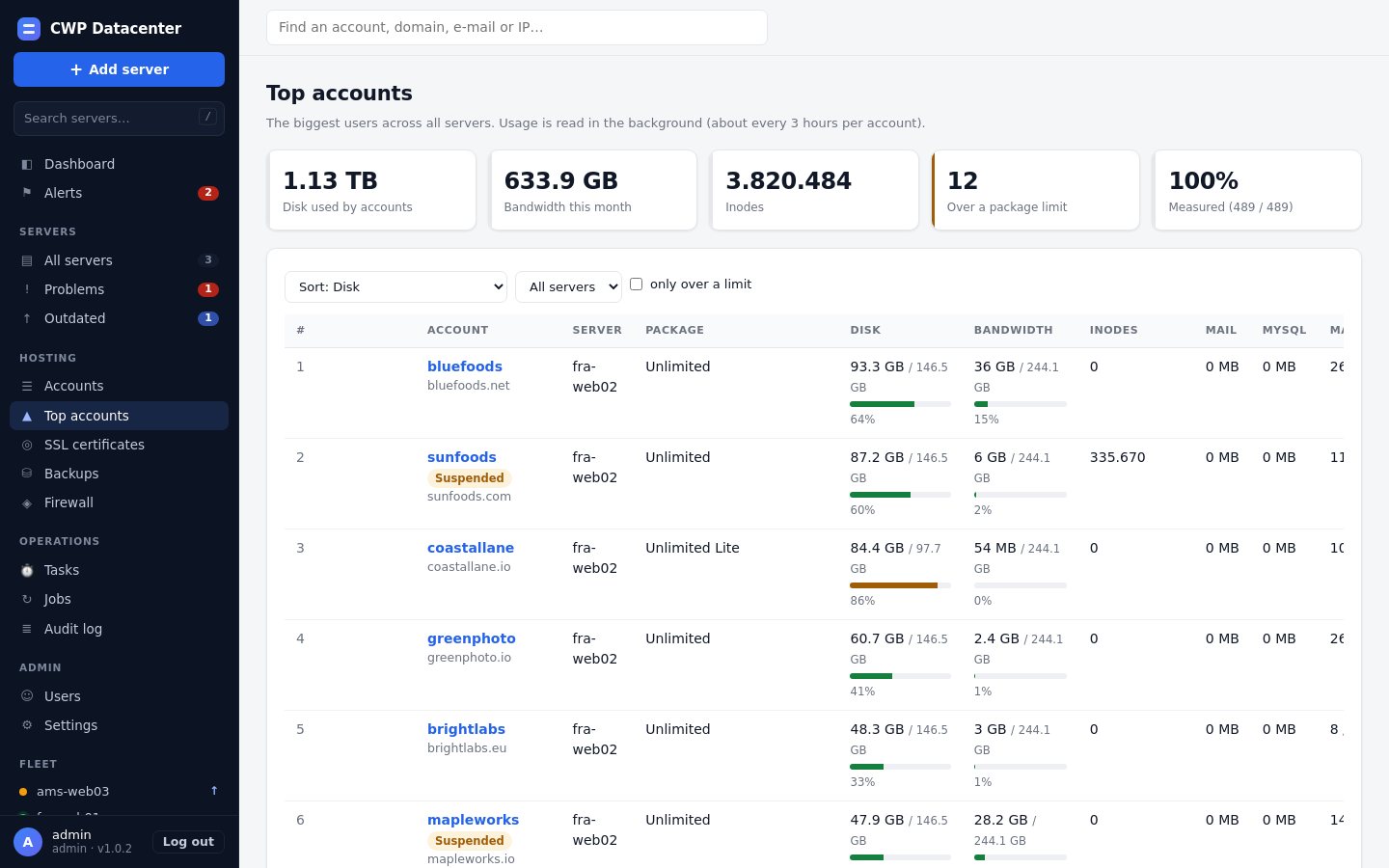
Top accounts ranks accounts across the fleet by disk, bandwidth this month, inodes, mail storage, database size, or the percentage of their disk limit.
One account
Open an account to manage it on its server:
| Tab | What you can do |
|---|---|
| Overview | Package, limits, usage, IP; change the account (package, e-mail, password), suspend and unsuspend, delete; e-mail authentication (SPF, DKIM) |
| Domains | Addon domains and subdomains |
| E-mail, Forwarders | Mailboxes with quota, forwarders |
| Databases | MySQL databases and users |
| DNS | Zone records, reset the zone |
| SSL | Installed certificates, request AutoSSL (Let’s Encrypt) |
| FTP | FTP accounts |
| Cron | The account’s cron jobs |
| Redirects | Domain redirects |
| Backups | Archives of the account; create a backup, restore one |
User panel login opens the account’s CWP user panel in a new tab, without its password (single sign-on).
Creating an account
Accounts → New account:
- Choose the server. The table shows load, disk use and account count of each server and marks the suggested one: the server with the most room. Servers that are full (see Max accounts), unreachable or without CWPpro are not offered.
- Enter the domain, user name, e-mail, password, package and IP, and choose AutoSSL and backups.
If the domain already exists on another server of the fleet, the panel warns and asks before creating it again.
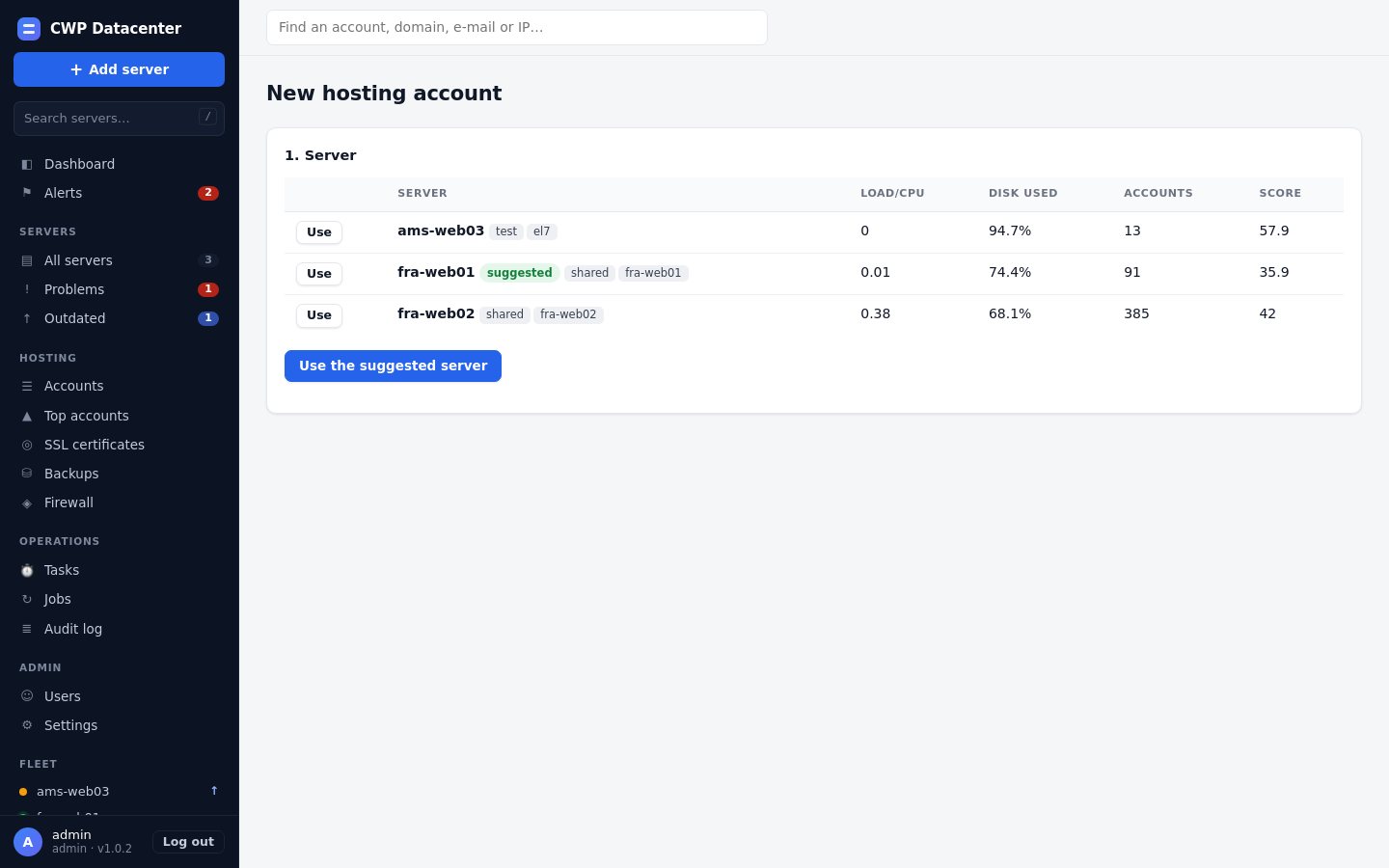
Creation runs as a job on the server; the panel follows it and opens the new account when it is ready.