If your hosting plan is a reseller plan, you can create and manage hosting accounts for your own customers from the Reseller page. Each customer gets their own user panel, with the limits of the package you assign.
Where to find it: Reseller in the left menu.
Note: The Reseller module needs a CWP Pro license on the server. If you see You need a CWPPRO license to use this module, contact your hosting provider.
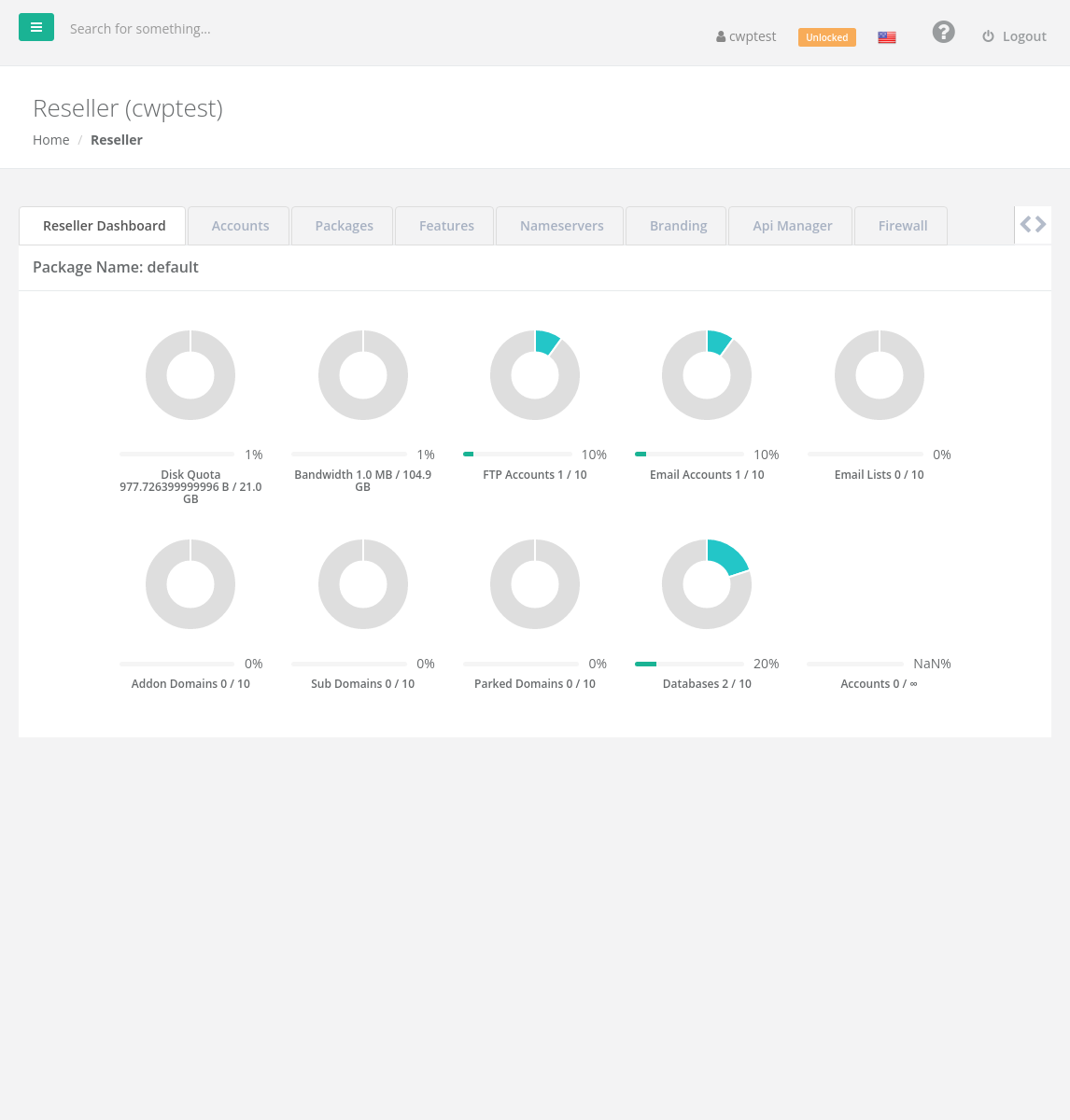
Reseller Dashboard
The first tab shows the limits of your reseller package and how much of them your customers already use: disk quota, bandwidth, FTP and email accounts, email lists, addon/sub/parked domains, databases and the number of Accounts you may create. Everything your customers use counts towards these totals.
Create a customer account
- Open the Accounts tab and click Add new account (Create a New Account).
- Fill in:
• Domain name — the customer’s main domain, withoutwww.
• Username — the customer’s login name.
• Password — type one or generate it with the key button.
• Admin Email — the customer’s email address (used for notifications and password recovery).
• Package — one of the packages you created (see Reseller: packages and features). - Additional Options (optional): Backup user account (include the account in automatic backups), AutoSSL (install a free SSL certificate — the domain must already point to the server) and the panel Language.
- Click Create.
The customer can now log in to the user panel with the username and password. If you use your own nameservers, give the customer those to set at their domain registrar (see Reseller: nameservers, branding, API and firewall).
Manage customer accounts
The Account List shows each account’s username, domain, email, setup time, package and disk usage. The actions for each account are:
| Action | What it does |
|---|---|
| Autologin | Opens the customer’s user panel, logged in as them, to help with support |
| Change password | Sets a new password for the account |
| Change package | Moves the account to another of your packages |
| Change Email | Changes the customer’s contact email |
| Suspend account / Activate account | Suspends the account (websites and email stop working) or reactivates it — for example for unpaid invoices |
| Activate Backup / Disable Backup | Includes or excludes the account from automatic backups |
| Delete | Deletes the account with all its websites, email and databases. This cannot be undone. |
Common problems
| Message | Solution |
|---|---|
| Accounts limit reached | You created as many accounts as your reseller package allows. Ask your provider for a bigger plan. |
| Domain already registered! | The domain exists on the server already (perhaps in another account). |
| Username already registered! | Choose another username. |
| Invalid package selected / You must choose a package | Create a package first in the Packages tab. |
| AutoSSL was not installed | The domain did not point to the server yet. The customer can install it later in AutoSSL. |